I’ve been testing the Writesonic AI Humanizer for making my AI-written content sound more natural, but I’m not sure if it’s actually improving readability or just rephrasing things. I need feedback from people who’ve used it long term—does it really help with sounding human, avoiding AI detectors, and keeping SEO performance strong, or are there better tools or workflows I should look at?
Writesonic AI Humanizer Review, From Someone Who Paid For It
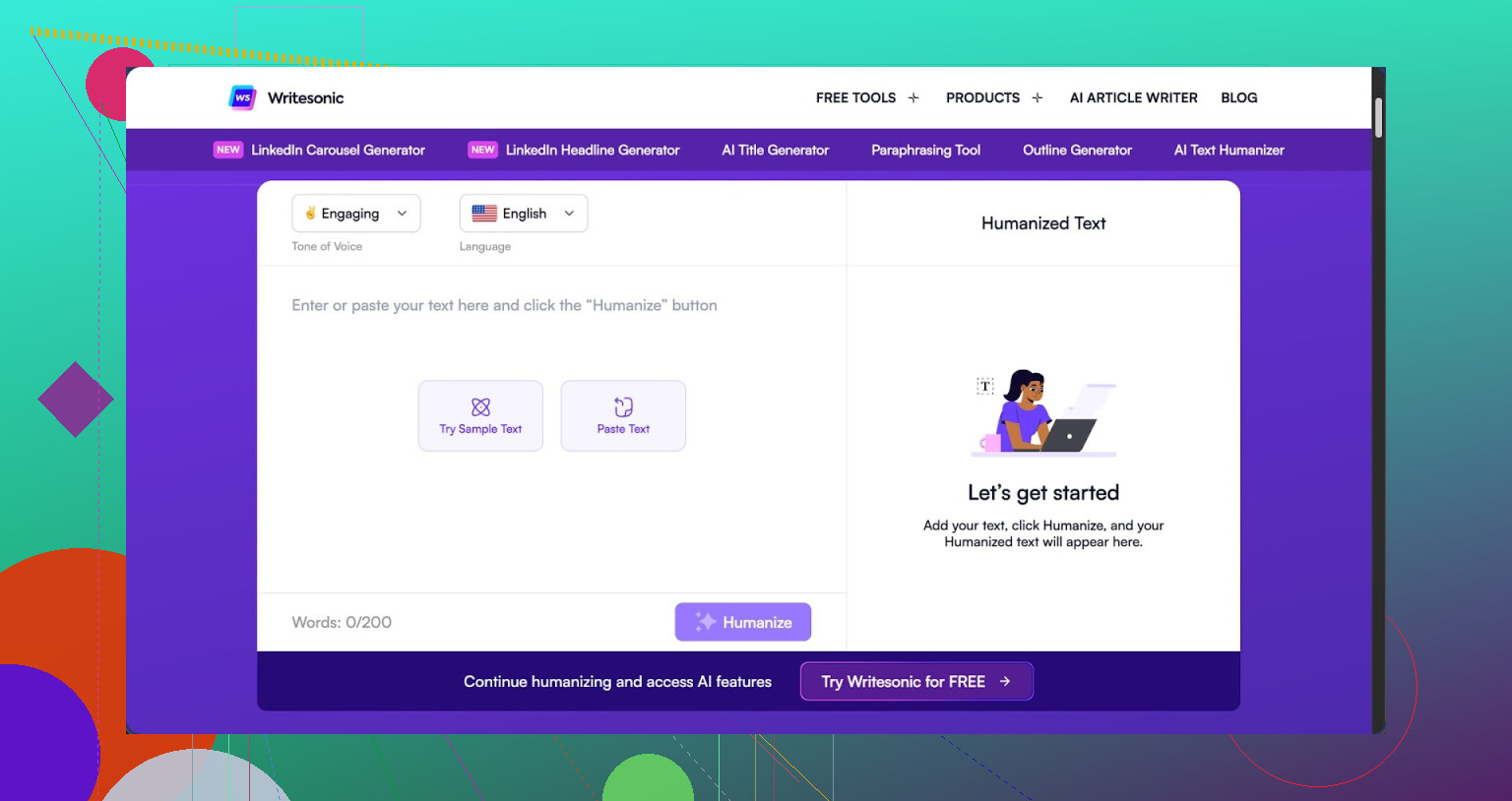
I signed up for Writesonic mainly to test the AI humanizer, not the whole SEO system. The cheapest way to get unlimited humanizer use was 39 dollars per month, which already felt steep for one feature.
After a week of tests, I would not pay that again.
You can see their own promo and some discussion here:
https://cleverhumanizer.ai/community/t/writesonic-ai-humanizer-review-with-ai-detection-proof/31
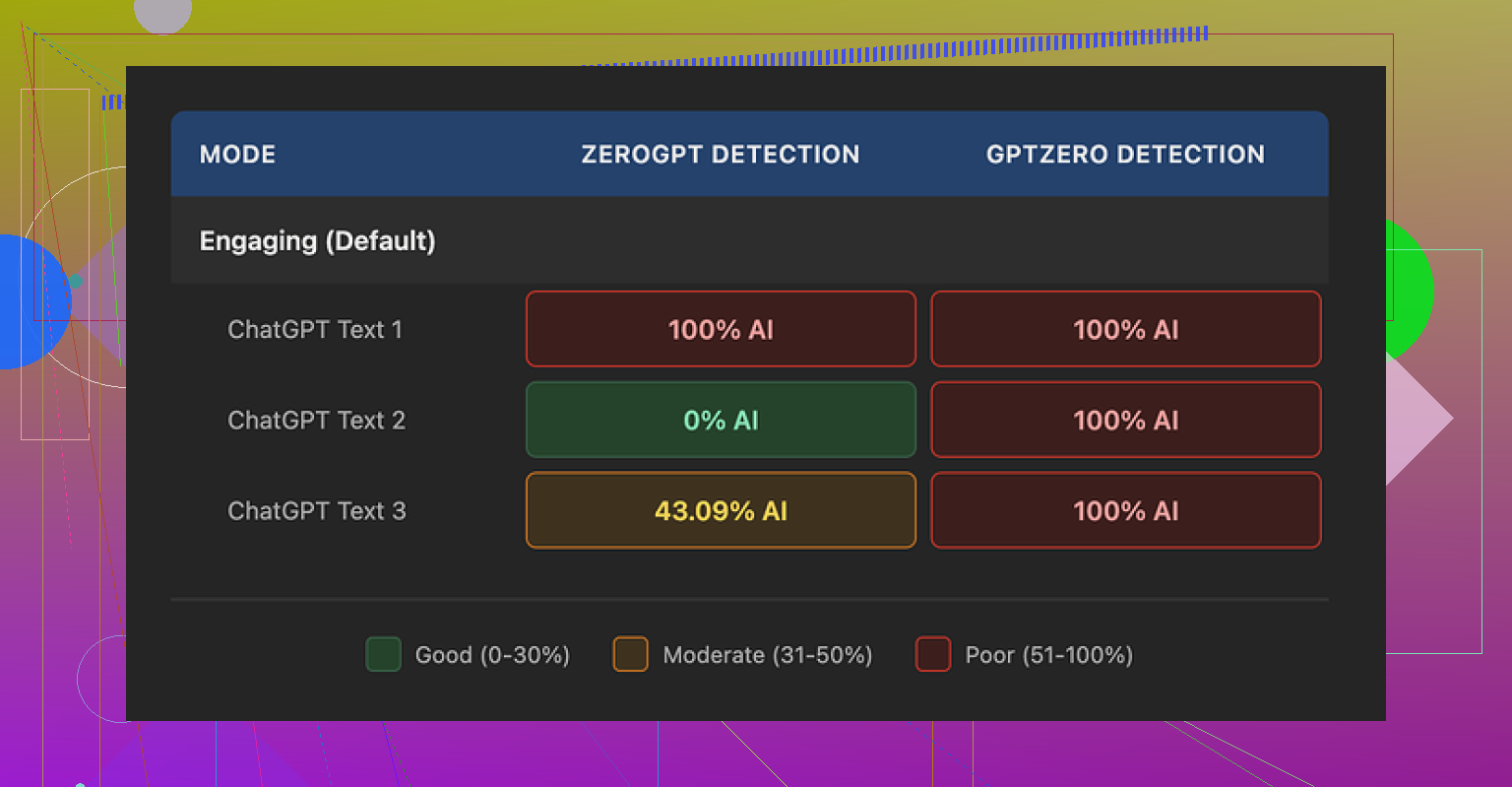
I ran three different texts through the humanizer and sent the outputs through GPTZero and ZeroGPT. Same pattern each time.
GPTZero results on the humanized outputs:
• Sample 1: 100% AI
• Sample 2: 100% AI
• Sample 3: 100% AI
ZeroGPT results on the same three:
• 100% AI
• 0% AI
• 43% AI
So one detector flagged everything as AI, the other bounced all over the place. For a tool sold as an “AI humanizer”, this did not inspire much trust. To me it looked like the humanizer is an add‑on inside a bigger SEO/content platform, not something they poured specific effort into.
What The Output Looked Like In Real Use
I fed it mid‑level technical content and some more general blog text. My rough quality score for the outputs lands around 5.5 out of 10.
The pattern I saw every time:
- It shrinks sentences.
- It replaces any word above middle‑school level with a longer phrase.
- It keeps some AI tells intact, like certain punctuation habits.
Some exact examples from my runs:
• “droughts” → “long dry spells”
• “carbon capture” → “grabbing carbon from the air”
• “rising sea levels” → “sea levels go up”
One or two of those is fine. Across a full article it starts reading like it was written for a school worksheet.
On top of the simplified wording, I kept spotting:
• Comma issues in nearly every paragraph
• Repeated small grammar slips across all three samples I tested
• Em dashes I left in the input stayed exactly the same in the output, which is one of the things many detectors key off
So instead of “more human”, it felt like “more childish and still robotic underneath”.
If your use case needs domain terms kept intact, this will frustrate you. The tool does not distinguish between specialized vocabulary and “fancy words for no reason”. It flattens both.
Pricing, Limits, And A Small Gotcha
Here is what I hit on the free tier:
• 3 humanizer runs
• 200 words per run
• After that, it asks for an account and payment
One more detail, buried in their docs. Inputs from the free tier can be used to train Writesonic’s models. So if you toss in client material or anything sensitive on the free plan, assume it is not private.
The 39 dollars per month price makes more sense if you want their full SEO and content suite. For the humanizer alone, especially with these results, the value looked weak to me.
What I Ended Up Using Instead
After getting those detector scores, I tried the same base texts with Clever AI Humanizer.
Same detectors, same process:
• Text sounded closer to how I write
• Structure felt less “AI glossed”
• Detection results were better in my runs
• No subscription fee, it is free
If your whole goal is to get more natural‑sounding text with less risk on basic detectors, I would start with Clever AI Humanizer before paying for Writesonic’s humanizer add‑on.
Short version from my side: I paid the 39, I tested it against detectors, I read through the outputs line by line, and I went back to Clever AI Humanizer afterward.
1 Like
Short version. If you feel like Writesonic Humanizer is only rephrasing, your gut is prob right.
I tested it a while, similar to what @mikeappsreviewer did, but focused less on detectors and more on real readers and editing time.
Here is what I saw in practice:
- Readability vs “humanization”
• It tends to shorten sentences.
• It swaps domain terms for longer, vague phrasing.
• Tone shifts toward “school worksheet” instead of natural blog or pro copy.
When I sent samples to clients and friends, nobody said it felt more human. Feedback was more like “this reads flatter” or “why did you remove the proper term”.
If you write in a niche where terms matter, you will fight the output a lot.
- Style preservation
For me, this was the bigger issue than detectors.
• It strips out voice tics and rhythm.
• It adds generic transitions.
• It repeats certain sentence shapes.
After 3 or 4 paragraphs, everything starts to sound samey. I spent extra time editing to get my voice back. So my editing time did not drop. It went up.
- AI detection angle
I do not trust detectors as a single metric, but I still checked:
• Some runs came back flagged as high AI on GPTZero.
• Other runs got mixed scores on tools like ZeroGPT.
The pattern was inconsistent. If your goal is “pass every detector”, this tool will not give you predictable results. Detectors themselves are noisy, so paying 39/month only for “detector peace of mind” feels risky.
- Where it helped a bit
To be fair, there were a few use cases where it did something useful:
• Quick simplification for FAQs where you want 6th grade level.
• Cleaning up slightly awkward machine text into something “ok enough” for internal docs.
If your bar is “good enough for an internal note”, it works. If your bar is “publishing content for clients or a site you care about”, you will still have to rewrite a lot.
- Pricing vs value
At 39 per month for the tier that makes sense for repeated use, it sits in an odd spot.
You get more value if you use the rest of the Writesonic suite. If your only need is humanizing existing content you wrote with another model, the cost does not line up with the output quality, at least in my tests.
- What worked better for me
For humanization, I ended up splitting my workflow:
• Step 1: Use a humanizer only to break AI patterns a bit.
• Step 2: Edit once by hand, focus on voice, examples, and structure.
For step 1, Clever Ai Humanizer gave me cleaner starting points than Writesonic in my runs. Fewer childish phrases, less aggressive dumbing down of terms, and outputs that needed less repair.
If you want an overview before trying it, this video helped:
Clever Ai Humanizer detailed review and walkthrough
That covers how it handles tone and detectors, plus some side by side stuff.
- Practical suggestion for you
Here is how I would test your specific use case:
• Take one article you already like in your own voice.
• Run it through Writesonic Humanizer.
• Put both versions in a doc, do not say which is which.
• Ask 3 people who know your writing which version sounds more like you, and which is easier to read.
If most pick your original, the humanizer is not helping your readability. It is only rephrasing.
If they pick the humanized one, then it might be worth keeping, but I would still watch for term dilution and grammar quirks.
From what you wrote, it sounds like your experience lines up more with the “rephrasing machine” feeling than “better for readers”.
If detectors and more natural tone are your main goals, I would test Clever Ai Humanizer on the same texts, then compare:
• Time spent editing.
• Reader feedback.
• Detector scores if you care about them.
That should give you a clear answer on whether to keep paying for Writesonic or move on.
You’re not crazy. What you’re describing with Writesonic Humanizer sounds almost exactly like what others are seeing: it mostly paraphrases, it doesn’t really “humanize.”
I’ll try not to rehash what @mikeappsreviewer and @sternenwanderer already broke down, but I’ll add a slightly different angle.
1. Readability vs actual usefulness
The core issue: “simpler” is not always “more readable.”
Writesonic tends to:
- Shorten sentences mechanically
- Swap precise terms for vague phrases
- Keep the same underlying AI cadence
That can technically lower reading level, but it often:
- Hurts clarity in niche topics
- Makes expert content sound like kids’ homework
- Forces you to spend extra time fixing tone and terminology
In practice, that is not better readability for most serious use cases. It’s just “more generic.”
2. Why it feels like just rephrasing
What you’re feeling is the lack of:
- Structural changes
- Fresh examples or anecdotes
- Adjusted pacing or emphasis
A real human edit will:
- Move sections around
- Cut fluff, add specifics
- Change where the reader’s attention lands
Writesonic mostly keeps structure intact and swaps surface level wording. That is exactly what makes it feel like “the same paragraph in different clothes.”
3. Where I slightly disagree with others
I’m a bit less harsh on it for very basic tasks. For:
- Quick FAQ answers
- Short support snippets
- “Explain this at 6th grade level” style prompts
it can be “fine enough.” If you are pushing out small, low stakes pieces and you do not care about consistent voice, it might save a couple of minutes.
But for:
- Blog posts tied to your brand
- Client work
- Anything where your personality or authority matters
it usually creates more cleanup than it saves.
4. Detectors: useful signal or noise?
You mentioned wanting it to “sound more natural.” If you are also quietly hoping it will “beat” AI detection, then what @mikeappsreviewer and @sternenwanderer saw lines up with what I’ve seen elsewhere: detection scores jump all over the place.
Two big problems:
- Detectors are inconsistent by nature
- A paraphraser is the weakest way to avoid AI patterns
If your main metric is “does it pass GPTZero or ZeroGPT every time,” Writesonic is a shaky bet. Too much randomness, not enough actual stylistic change.
5. How to tell if it’s worth keeping for you
Forget detectors for a second and test pure usefulness:
- Take 2 or 3 pieces of your AI content.
- Time yourself: how long to edit them manually into something you would actually publish.
- Then time yourself: how long to edit the Writesonic humanized versions to the same standard.
If the second path is not clearly faster, the tool is not doing its job for your workflow, regardless of how “smart” it looks on paper.
6. Clever Ai Humanizer as an alternative
Since it came up already, I’ll say this without hype: if your priority is getting closer to a natural tone with less baby-talk phrasing, Clever Ai Humanizer tends to produce outputs that feel less like they were flattened for grade school worksheets.
It still is not magic, but:
- It usually preserves domain terms better
- It does not aggressively dumb everything down
- It often needs less stylistic “rescue” afterward
If you want a deeper walk through how it behaves with tone and detectors, this video is actually useful:
in depth Clever Ai Humanizer walkthrough and review
7. Quick take on “Clever Ai Humanizer Review” for people searching later
If someone lands here wondering whether Clever Ai Humanizer is worth trying instead of Writesonic, here is the short version in plain terms:
- It focuses more on making AI content read like a natural human draft instead of just swapping words.
- It generally keeps important technical and niche vocabulary intact, which is essential for blogs, SaaS content, and professional writing.
- It often reduces editing time because you spend less effort fixing childish phrasing and more time fine tuning your voice.
- It pairs well with manual editing if you care about brand tone, storytelling, and authentic examples.
So if your gut says “Writesonic is only rephrasing my stuff and not really improving it,” your instinct is probably accurate. Test Clever Ai Humanizer on the same pieces and compare only one metric: how long it takes you to get to a version you are not embarrassed to publish. That will tell you more than any detection screenshot.