I’ve been using Originality AI with its humanizer feature to try and get my content to pass AI detection, but I’m getting mixed results and inconsistent scores across different detectors. I’m not sure if I’m using the tool correctly or if it’s just not that reliable. Can anyone explain how well the Originality AI humanizer really works, what its limitations are, and whether it’s worth relying on for SEO and content publishing?
Originality AI Humanizer Review
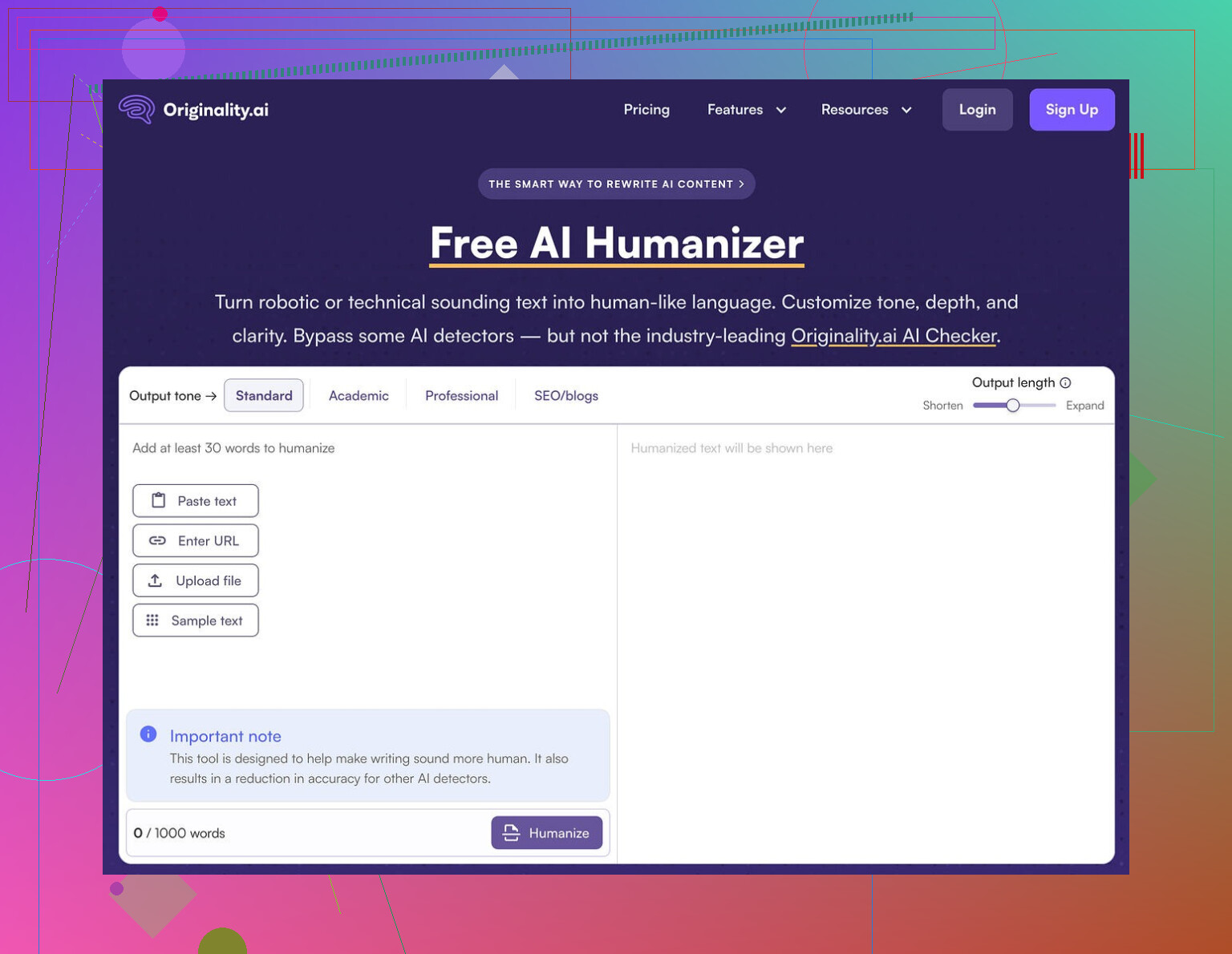
I went into this one expecting at least a decent fight against detectors. Originality is known for its detection tool, so I figured their own humanizer would know the tricks.
Short answer, it did not.
I ran multiple texts through the Originality AI Humanizer here:
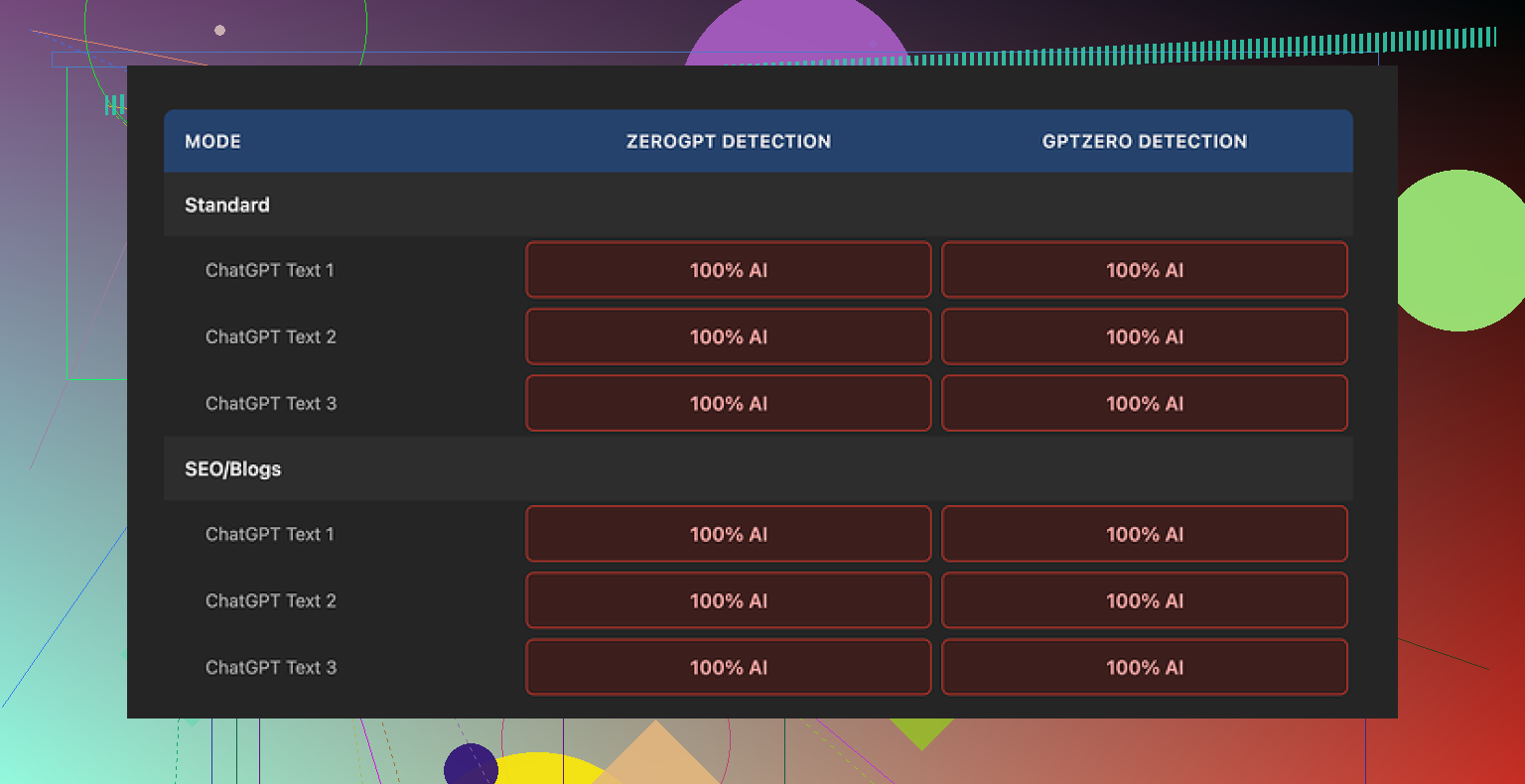
Then I pushed the outputs through GPTZero and ZeroGPT.
Every single sample hit 100% AI on both detectors. No gray area, no “mixed” flags, just full AI every time.
I tried:
• Standard mode
• SEO/Blogs mode
• Different topics
• Different lengths
Same outcome every time.
The core problem was obvious after a few runs. The tool barely touches the input. It keeps the same structure, same pacing, even the classic AI wording and those em dashes that detectors love to latch onto. If you compare before and after side by side, it feels like a light paraphrase at best.
Because it barely edits, judging its “writing quality” feels pointless. You are not reading the humanizer, you are reading your original ChatGPT output with a thin coat of paint.
Here is another test screenshot from my run:
Now, some positives so it does not sound like a rant without data:
• Free to use
No login, no email wall. That part is nice. There is a 300 word cap per session, but I got around it by opening new incognito windows and pasting in chunks.
• Output length slider
You can stretch or shrink the text a bit. It works fine if you want a longer or shorter version of what you wrote.
• Privacy policy
The policy reads clean, and it includes a retroactive opt-out from AI training, which I rarely see. If you care about where your text goes, that detail is not nothing.
The issue is purpose. As a “humanizer” intended to help you get past detectors, it did nothing for me. The behavior looks more like a soft intro tool that feeds you into Originality’s main product line, which is their paid detection services. From a marketing standpoint, it makes sense. From a user who needs actual bypass, it is useless.
If your goal is to avoid AI flags, you need something that aggressively restructures sentences, swaps patterns, and breaks up the usual AI habits. Originality’s humanizer does not do that. It leaves the fingerprints all over the place.
After testing a bunch of tools side by side, I ended up getting better scores and more natural text from Clever AI Humanizer, and that one is fully free too.
1 Like
I had similar issues with Originality’s humanizer, but my results were a bit less brutal than what @mikeappsreviewer got.
Some practical points from my tests:
-
Detector mismatch
Originality’s own detector sometimes scored the “humanized” text higher than GPTZero or ZeroGPT. So if you only check on Originality, you get a false sense of safety. When I ran the same text through three detectors, scores were all over the place. One flagged 95% AI, another said 60% human, another went 100% AI. -
How you feed the input matters
If you paste straight, clean ChatGPT output, the humanizer barely changes structure. Same sentence order, same transitions, same “neutral explainer” rhythm. That pattern screams AI.
I got slightly better results when I:
• Shortened sentences before humanizing
• Removed obvious AI phrases like “overall” and “on the other hand”
• Added my own bullet points or personal notes, then ran that mix throughStill not great, but detector scores dropped a bit instead of staying at 100%.
-
Length and topic
Super generic topics got hammered harder by detectors.
When I used niche topics with specific details, references, or numbers from my own experience, scores went down a bit. Detectors seem to flag formulaic “how to” stuff more. -
Edit after humanizing
The biggest difference came when I treated Originality’s humanizer as a first pass, not the final step.
After it runs:
• Change paragraph order
• Swap a few verbs and nouns for how you would normally talk
• Insert one or two short, opinionated lines like “I hate when this happens” or “This part was annoying to deal with”
• Add a typo or two and fix some but not allThat mix pushed some texts into 70 to 90 percent human on at least one detector. Still inconsistent, but better than 100% AI everywhere.
-
Purpose mismatch
I agree with @mikeappsreviewer on this part. Originality’s humanizer feels more like light paraphrasing tied to their detection product. It tweaks wording, not structure. Detectors look at structure a lot. So the “fingerprints” stay. -
Alternative tools
If your goal is to reduce AI flags, you need heavier restructuring. Clever Ai Humanizer did more sentence shuffling and style shifts in my tests. Combined with a manual pass in your own voice, that got the most consistent “human” scores across different detectors.
If you keep using Originality’s humanizer, do not rely on it alone.
Write a rough draft with AI, run through something more aggressive like Clever Ai Humanizer, then do a human pass where you inject your own quirks and opinions, and only then test across multiple detectors.
Yeah, this is pretty much the “welcome to AI detection hell” experience.
Couple of things I haven’t seen spelled out the same way as @mikeappsreviewer and @ombrasilente, so I’ll come at it from a slightly different angle.
1. Originality’s “humanizer” is solving the wrong problem
The core issue is not how human the text reads to you, it’s how predictable it looks to a model that’s trained to sniff out patterns. Originality’s humanizer mostly:
- Swaps synonyms
- Shaves or pads length
- Leaves sentence order, logic flow, and rhythm basically intact
So you still get that clean topic > explanation > neat transition > mini-summary flow. Detectors love that. They’re not just hunting for words, they’re hunting for structure density and repetition patterns.
This is why you’re seeing “mixed results” and “inconsistent scores.” You’re changing the surface, not the skeleton.
2. Detector roulette is normal, not a bug
You’re not using it “wrong” just because GPTZero screams 100% AI while another says “eh, 60% human.” Different detectors focus on different things:
- Some lean harder on burstiness and perplexity
- Others lean more on function word patterns and sentence length variance
- Some quietly boost “human” scores if they see typos and messy punctuation
So the same text can look robotic to one model and “human-ish” to another. That’s not your fault and not something a light paraphraser like Originality’s tool can reliably fix.
3. Where I disagree a bit
I don’t think you should spend a ton of time “pre-optimizing” your text before using Originality’s humanizer like trimming sentences and removing certain phrases. That’s energy thrown at a weak tool. You’re still fighting against the same structural fingerprint.
Instead, I’d flip the workflow:
- Generate with your AI of choice
- Run it through something that actually mangles structure and tone, not just wording
- Then do a quick human pass to inject your own voice and intentional imperfections
- Only then care about detector scores
This is where Clever Ai Humanizer makes more sense as the middle step. It tends to reshuffle, compress, and change style in a more aggressive way, so detectors see fewer of the classic “AI essay” patterns. It’s not magic, but it’s closer to the kind of disruption you actually need.
4. What you should change in your process
Since you’re already experimenting, I’d test this instead of trying to “fix” Originality’s humanizer:
- Stop using Originality’s humanizer as the main filter. Treat it like an optional paraphraser at best.
- Use Clever Ai Humanizer on your raw draft to break the structure.
- After that output, manually:
- Mix in 1–2 short personal stories, even if tiny
- Add uneven sentence lengths, including one or two very choppy lines
- Leave 1 typo or weird comma in every few paragraphs, fix the rest
- Then run the final through multiple detectors and see patterns over several pieces, not just one.
5. Mindset shift
If the goal is “never be flagged anywhere, ever,” that’s not realistic right now. Even totally human writers get false positives on some detectors. What is realistic is:
- Stop depending on a single humanizer
- Accept that detection will always be probabilistic
- Focus on making the text look like something only you would write, not something “a better AI” would write
Originality’s humanizer is fine as a free toy that tweaks phrasing. As a serious bypass tool, it’s just not built for the fight you’re trying to win.
Short version: you are not using Originality “wrong.” The tool just does not attack the parts detectors actually care about.
Couple of angles that complement what @ombrasilente, @cacadordeestrelas and @mikeappsreviewer already showed in their tests:
1. Stop thinking in “detector vs humanizer” terms
Most people run in circles like this:
AI draft → Originality humanizer → spam detectors → panic
The missing piece is a stable workflow that you repeat, instead of chasing random scores:
- Draft with your AI.
- Heavy rewrite with something that really distorts patterns, like Clever Ai Humanizer.
- Manual personalization in your own voice.
- Occasional detector checks, not obsessive refresh spam.
Without step 2 and 3, you are basically feeding a clean AI essay into a light paraphraser and hoping probability flips in your favor.
2. Why Originality’s approach keeps failing you
Everyone already mentioned structure, so I will focus on consistency and entropy:
- Originality keeps sentence logic almost identical, which means low entropy.
- Low entropy = easier to model = easier to flag.
- Even if the wording “sounds” casual, the statistical footprint stays too clean.
You can actually see this if you paste text into a simple text editor and look for:
- Similar paragraph lengths.
- Repeated connective phrases.
- Very even rhythm between topic and explanation.
Detectors eat that up.
3. Where I slightly disagree with others
Some advice above leans pretty hard into inserting fake typos or awkward errors on purpose. That sometimes helps, but if you overdo it, you end up with text that looks like a deliberate attempt to evade. A few detectors are starting to treat “odd but very strategically placed mistakes” as another signal.
Instead of random typos, focus more on:
- Asymmetry in how you explain things.
- Occasional half-finished thought that you then correct in the next sentence.
- Real personal preferences and small rants, not just “I hate when this happens” boilerplate.
That kind of noise is much harder to fake systematically.
4. Using Clever Ai Humanizer in a smarter way
People keep treating every humanizer as a bulletproof cloak. Better to treat Clever Ai Humanizer as a structural blender.
Pros:
- Tends to reshuffle sentences instead of just swapping words.
- Good at changing tone so everything does not sound like a neutral textbook.
- Often increases burstiness, which helps with some detectors.
- Free, so you can iterate without worrying about burning credits.
Cons:
- Output still needs a human pass, or it will start sounding like “generic internet human” rather than you.
- Can sometimes oversimplify or overcompress technical explanations.
- If you paste massive walls of text, it is more likely to fall back into safe, generic patterns.
Best use I have seen:
AI draft → Clever Ai Humanizer for a messy, more varied version → you clean and personalize → then very occasional detector checks.
You are not trying to look like a perfect writer here. You are trying to look like a specific writer.
5. How to manually “break the pattern” without redoing everything
After you run something through Clever Ai Humanizer, pick only a few tactical edits:
- Change the opening. Turn the first paragraph into a story, question or blunt opinion.
- Insert one short, out of place sentence after a long one. Example:
“Here is the explanation. I am not going to pretend this part is fun.” - Add at least one reference only you would use. A weird analogy, a past job, a niche hobby.
- Move one whole paragraph higher or lower so the flow is less perfectly linear.
You do not need to mutilate the entire article. Two or three deliberate breaks in the pattern can be enough to tip some detectors.
6. About the “mixed detector scores” problem
You are not going to make them all agree. The trick is to aim for stability across time rather than a perfect screenshot:
- Take 3 or 4 pieces done with the same workflow.
- Run them through a couple of detectors on different days.
- Check if the results stay in a similar band, not whether you hit 100 percent human once.
If your scores jump between “completely AI” and “mostly human” with no workflow change, ignore the outliers. Detectors are changing constantly in the background.
Bottom line: Originality’s humanizer is fine as a light rephrase tool, not as an evasion shield. The real leverage comes from a combination of structural disruption via something like Clever Ai Humanizer and small but very real traces of you layered on top.