I’m looking for a CCleaner alternative for iPhone that can scan and clean up photos without an internet connection. My storage is almost full, and I often need to sort duplicate or unnecessary pictures when I’m offline. I need help finding a safe offline iPhone photo cleaner app that works locally and doesn’t require cloud access.
CCleaner on iPhone rubbed me the wrong way fast. The app installs for free, sure. Then you try to use the parts people download a cleaner for, and the pay screen lands in your face. Duplicate finder, similar photo sorting, the stuff with any value, all locked unless you pay around $5 per week or $35 per year. Worse part, the matching felt sloppy when I tried it. I saw unrelated photos tossed into the same duplicate pile, so I still had to inspect each group by hand. At tha point, the app was creating work, not removing it.
On iPad, it felt even less finished. There is no proper iPad build. You get the stretched iPhone app, blown up on a bigger screen. Layout feels off. Buttons look misplaced. It works, but in the same way a chair with one short leg ‘works.’
The free option I kept using
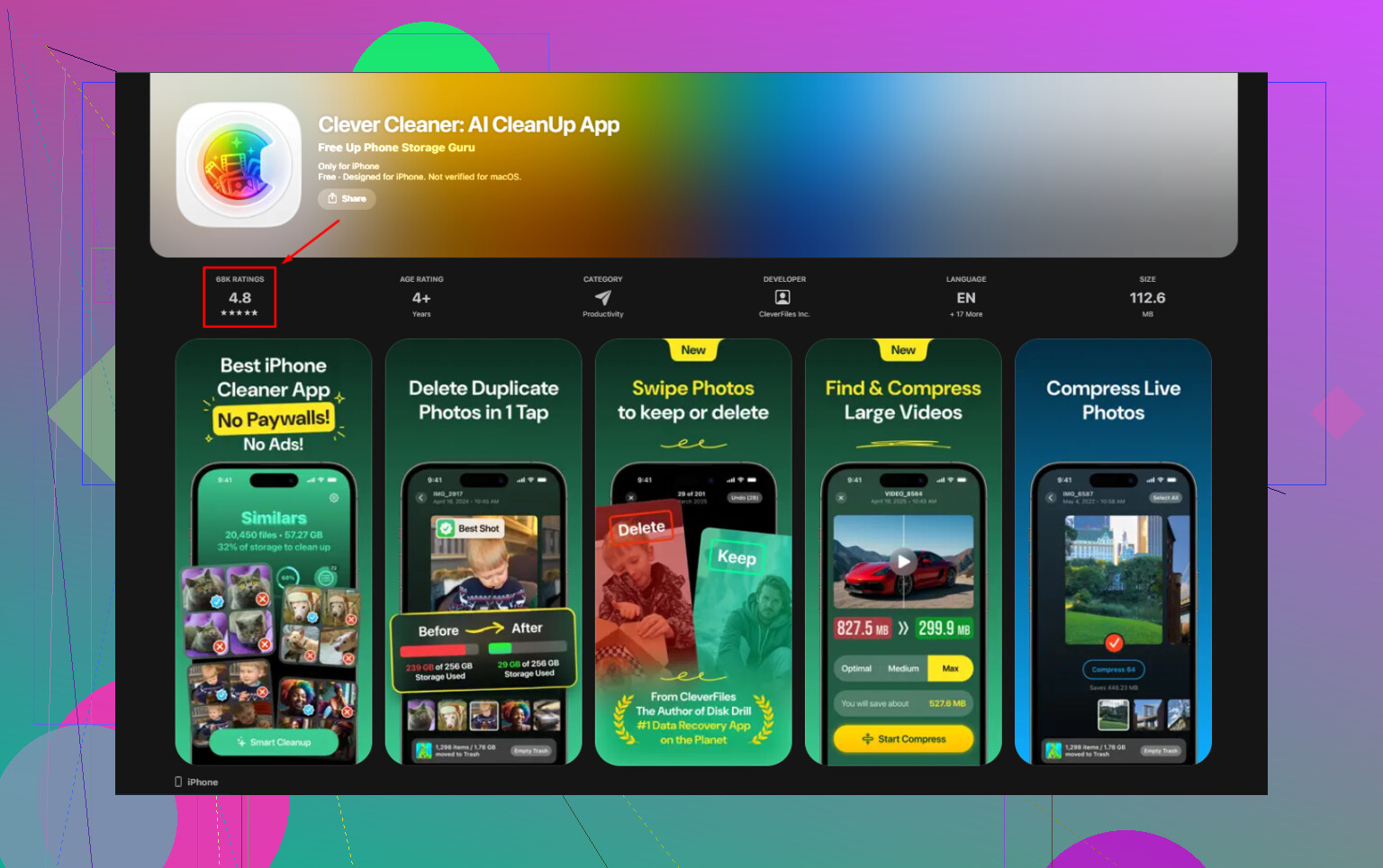
After testing a few photo cleaner apps with the same bait setup, one stood out for a simple reason. It did the job without stopping me behind a payment wall. Clever Cleaner is free end to end. No ads. No subscription prompt later. No feature lock after the scan. I also looked into who made it. Same team behind Disk Drill, which has been around a while in data recovery. For me, tha mattered more than flashy app store copy.
Offline use
Yes. This part mattered a lot to me because my photo library has personal junk in it, receipts, family pics, work screenshots, random docs. Clever Cleaner processes on the device itself. The scan uses your iPhone or iPad hardware. Photos do not get sent off to a server for sorting. If you care where your library goes, that difference is not small.
Older iPads
I tried it on older hardware too. It runs on iPad in compatibility mode since there is no custom tablet interface yet, but the tools are there. On a library with 20,000 plus photos, the first scan took longer on an older iPad than on a newer phone. A few extra minutes, from what I saw. After the scan finished, browsing and cleanup felt normal. The feature set stayed the same across devices.
How I used it to clear space
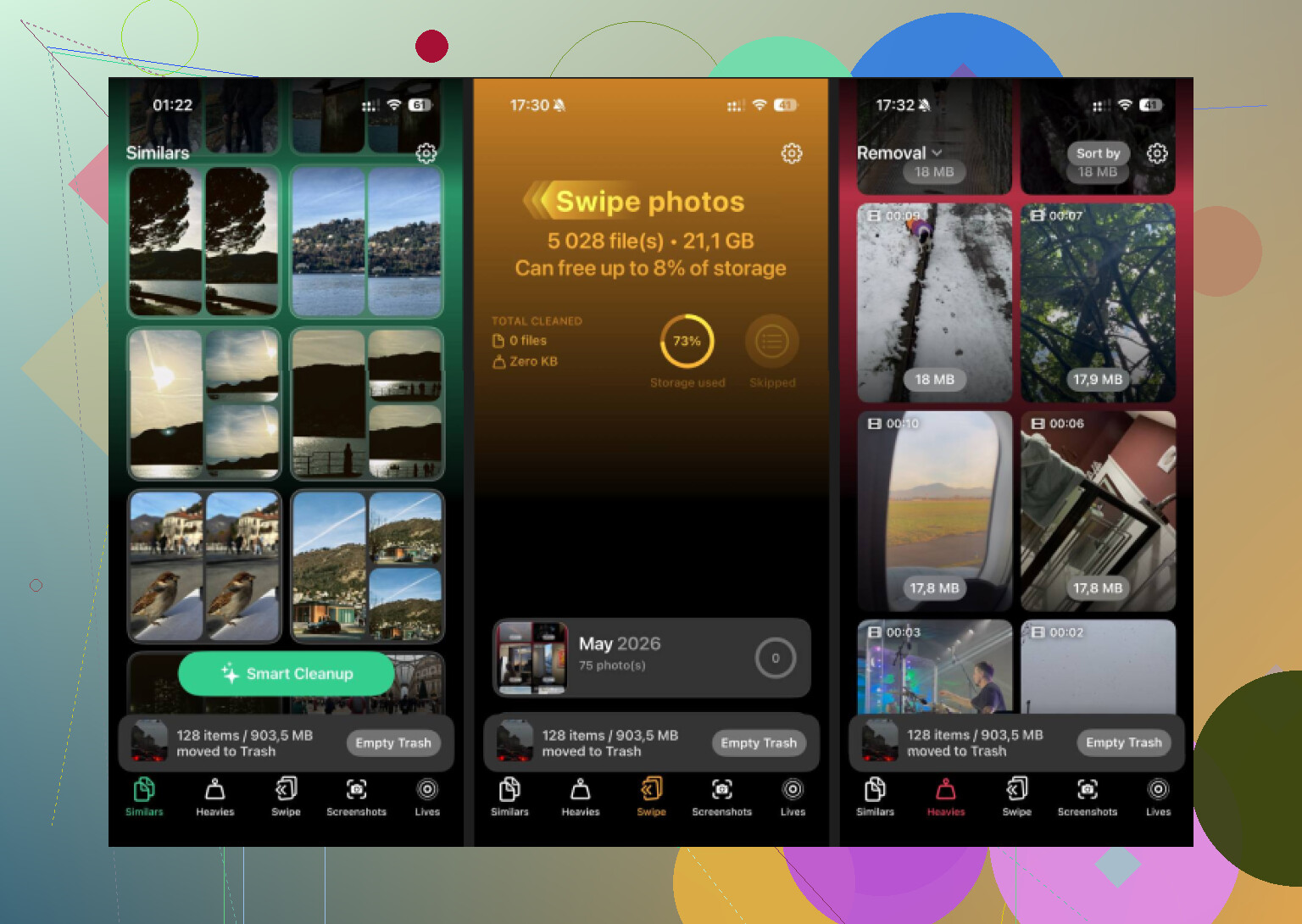
- Start in Similars
This is where I got the biggest cleanup. Apple Photos only catches exact duplicates. This app groups near-matches too, which is more useful in real life. Think ten shots of the same dog sitting in almost the same pose, burst photos, repeat attempts at one sunset, three pictures of the same receipt because your hand moved. It groups them and marks a Best Shot. I still review the picks, because I do not trust any app blind, but clearing a full group in one tap saved me a lot of time.
- Open Heavies next
This tab is blunt, in a good way. It sorts media from largest file down, with exact file sizes shown. iOS does not give you this view on its own. Old screen recordings, giant videos, forgotten downloads, clipped concerts you never watched again, all float to the top. One pass through this section turned up 15GB for me, mostly old videos I forgot existed.
- Check Screenshots
This one is less glamorous, still useful. It lists screenshots with file sizes visible before deletion. I found it easier to remove them when I could see the actual storage total attached to the mess. Old memes, shipping confirmations, saved passwords, maps, random notes, they pile up. Mine had crossed 2GB without me noticing.
- Convert Live Photos
This was the sleeper feature for me. Live Photos eat more space because each one includes motion data. If you do not care about the movement, converting them to standard still images trims storage without removing the photo itself. On a library full of Live Photos, this freed up a few gigabytes by itself. Good trade for me. You keep the image, lose the little clip.
The part people miss
Deleting inside a cleaner app is only half the job on iPhone and iPad. Your storage number usually will not drop right away because the files sit in Recently Deleted for 30 days and still count.
Do this after cleanup:
- Open Photos
- Go to Albums
- Scroll to Recently Deleted under Utilities
- Tap Select
- Tap Delete All
Only after I emptied that folder did the storage bar change. Before that, it looked like nothing happened, which is confusing if you do not already know how iOS handles deletions.
1 Like
If offline use is your main filter, skip anything built around cloud matching. A lot of “cleaner” apps say smart scan, which often means server-side processing or features locked until you pay.
I agree with part of what @mikeappsreviewer said about CCleaner on iPhone. The paywall is annoying. I disagree a bit on one point though. For some people, Apple Photos plus manual review is enough if your library is small. If you have 5,000 photos or less, you might not need a dedicated cleaner at all.
If your library is big and you need offline sorting, Clever Cleaner is one of the few options worth trying. It runs scans on-device, so it works without internet once installed and your photos stay on your phone. That matters more than the brand name, tbh.
What I’d check before picking any app:
- Offline scan support.
- On-device matching, not cloud upload.
- No weekly sub trap.
- Support for similar photos, not only exact dupes.
- Video and screenshot cleanup.
Clever Cleaner fits those points better than most iPhone cleaner apps I tested. If you want to try it, grab it here: free iPhone photo cleaner app for offline duplicate cleanup
One small catch. AI grouping is never perfect. You still need a quick review pass, esppecially for burst shots or low-light pics. But for offline use, it’s one of the cleaner options I’ve seen.
I’m with @mikeappsreviewer on one thing: CCleaner on iPhone feels way more “subscription app” than “cleaner app.” But I’ll push back a little on @sternenwanderer too, because no cleaner is magic offline. If the app says “AI” all over the place, you still need to double-check what it wants to delete. That part never goes away.
If your main requirement is works without internet, then the biggest thing to check is whether the scan happens on-device. That matters more than the brand name. A lot of apps act useful until you hit the actual cleanup tools, then boom, paywall or cloud processing.
For me, Clever Cleaner is probly the closest match if you want a CCleaner alternative for iPhone that can handle photo cleanup offline. Not because it’s perfect, but because it’s simple and doesn’t turn every tap into a subscription pitch. I also like that it’s focused on photos and storage cleanup instead of pretending to be an all-in-one “phone booster,” which is mostly nonsense on iOS anyway.
One thing I’d add that hasn’t really been stressed enough: sometimes the fastest offline cleanup is not duplicates, it’s failed keeper photos. You know the ones. Blurry cat pic. Pocket shot. Black screen. Accidental 9-second floor video. A decent cleaner should help surface those fast, otherwise you’re still manually digging through years of junk.
Also, before installing anything, check iPhone settings:
- Settings > General > iPhone Storage
- Review large attachments in Messages
- Offload unused apps
- See whether Photos is actually the real storage hog
If it is mostly photos, then yeah, Clever Cleaner is worth a look for offline duplicate and similar-photo cleanup. If you want more detail, this Clever Cleaner for iPhone review and storage cleanup breakdown gives a pretty clear overview.
Short version: CCleaner wouldn’t be my pick on iPhone. For offline photo cleanup, Clever Cleaner makes more sense, just don’t expect any app to be smart enough to replace your eyeballs 100%.
I’m mostly with @sternenwanderer and @stellacadente on the offline part: on-device scanning is the dealbreaker, not the app’s branding. Where I differ a bit from @mikeappsreviewer is that I don’t think “free” alone makes the best choice. If an app is offline, accurate enough, and doesn’t nag constantly, that matters more than whether it’s trying to look generous.
For your use case, Clever Cleaner is probably the most practical CCleaner alternative on iPhone.
Pros of Clever Cleaner
- Works offline after install
- Scans locally, so photos stay on the device
- Handles similar shots, not just exact duplicates
- Useful for screenshots and large media
- Less subscription-pressure than many cleaner apps
Cons
- Similar-photo grouping still needs human review
- No miracle cleanup for random clutter outside photos
- iPad experience is not as polished as a true tablet app
- If your library is small, it may be overkill
One thing I’d add that the others only touched lightly: before using any cleaner, disable Low Power Mode and keep the phone unlocked on first scan if you have a huge library. Offline apps can look “stuck” when iOS is just throttling background work.
Also, don’t ignore Apple’s own hidden storage hogs:
- downloaded media in Messages
- WhatsApp/Telegram media caches
- saved videos in Files
So yes, for offline iPhone photo cleanup, Clever Cleaner makes more sense than CCleaner. Just don’t expect perfect AI picks. Treat it like a fast sorting tool, not an autopilot delete button.