I accidentally deleted some important files and I’m trying to figure out if Recuva is safe for someone who has never used data recovery software before. I’m worried about making things worse or overwriting the files, so I need advice on whether it’s beginner-friendly and what steps to take first.
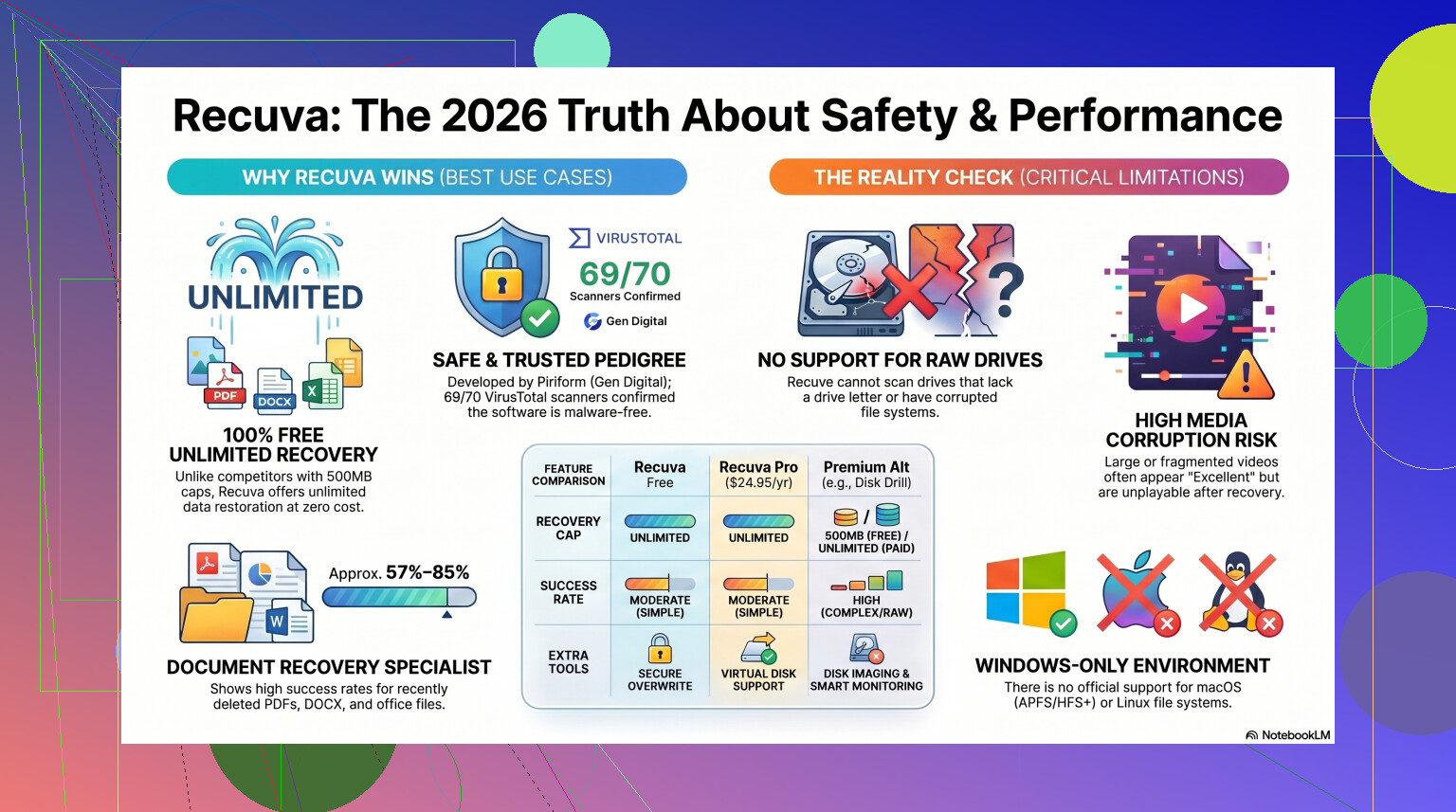
People ask this a lot, and I get why. The short answer is yes, Recuva is safe in the malware sense. It is not a virus, it is not some fake recovery app, and it is not built to trash your PC. The part people skip is the second half of the question. Safe for your privacy, and safe for the files you are trying to recover, those take a little more care.
I have used Recuva on a few dead-simple recoveries and a few messes I made worse by moving too fast. So here’s the plain version of it in 2026.
About the malware rumors
The big reason people still side-eye Recuva goes back to 2017. Same company family as CCleaner, same old baggage. CCleaner had an official update compromised in a supply-chain attack, and malware got pushed through the legit channel. That part was real, and it burned a lot of trust.
Still, Recuva today is not sitting in some abandoned corner of the internet. Piriform ended up under Avast, then under Gen Digital. If you pull the current installer from the official site and check it with VirusTotal, it usually comes back clean or close to it. Sometimes one odd antivirus engine throws a warning. I saw this once myself. It looked scary for a sec, then turned out to be a heuristic flag because recovery tools poke around low-level file structures. From a virus standpoint, if you download from the official CCleaner or Piriform source, you’re fine.
Privacy stuff people forget to check
This is the part where I slowed down a bit. Recuva itself is not spyware in the cartoon-villain sense, but the company does collect some system and usage data. Things like IP address, device identifiers, OS details, and location data for licensing or fraud checks are part of the deal.
If you hate that kind of thing, go into the settings right after install. Open Options, then Privacy, then turn off the box for sending usage data. I do this first, every time. Their policy also says IP data sticks around for 36 months before anonymizing. Some people won’t care. Some will. You should at least know what you’re agreeing to before clicking through it half asleep.
The part where users wreck their own recovery
This is the mistake I see most. Recuva is safe. Your recovery process might not be.
If the deleted files were on Drive D, do not install Recuva to Drive D. Do not save recovered files back to Drive D either. Once a file gets deleted, Windows usually removes the reference to it and marks the space free. The old data may still be there until new data lands on top of it. So if you install the program onto the same drive, you risk overwriting the files you were trying to save. I did this years ago with a memory card. Bad move. The scan found names, thumbnails, hope, then half the photos were toast.
The safer route is the portable build. Put it on a USB stick. Run it from there. Then save recovered files to another drive, external disk, or at least a separate partition. If your files matter, this one rule matters more than the rest.
How well it works in real use
Here’s where the answer gets less flattering. Recuva still works, but it feels old. The core design is from another era. It got enough maintenance to stay alive on newer Windows versions, though it still behaves like a classic undelete tool, not a full recovery suite.
For simple cases, it does fine. If you emptied the Recycle Bin ten minutes ago on a healthy Windows drive, Recuva is often a good first shot. It is quick, light, and free without weird recovery limits. That alone makes people keep it around.
Once things get messy, it starts falling apart. RAW drives are a common example. If Windows says a disk needs formatting or shows it as RAW, Recuva often won’t help much. It likes drives with a visible and healthy partition. On formatted USB drives, the recovery rate tends to land somewhere around 63 to 67 percent. Even worse, found files are not always usable files. I have seen Recuva mark a JPG as excellent, then Windows refuses to open it. Great file health, dead file. Nice.
Folder structure is another weak spot. You scan, recover, then end up with a giant bucket of files named things like 000123.jpg, 000124.jpg, and now your Saturday is gone.
When I’d stop using it
If the missing files are low stakes, I’d still try Recuva first. Deleted homework folder, MP3s, some PDFs, random phone exports, sure. It costs nothing, and sometimes the first free pass works.
If it’s your only copy of wedding photos, client work, tax docs, or footage from a paid shoot, I would not spend hours forcing Recuva to be something it isn’t. Scanning a bad drive over and over is not free in practice. A failing disk gets more wear every time you push it.
That's where I'd switch tools fast. For tougher cases, I've had better results with Disk Drill. Recuva feels old-school Windows-only. Disk Drill handles damaged partitions and RAW volumes better, and in testing it tends to recover formatted-drive data at much higher rates, closer to 95 to 97 percent. The feature I wish Recuva had is byte-to-byte imaging. You clone the failing disk first, then scan the copy. That's the safer workflow. If the original drive dies during the job, you still have the image. With a weak HDD, this matters a lot.
Media files are another sore point. Recuva has trouble with fragmented videos and some camera RAW formats. If you shoot Nikon, Canon, or deal with large video files, the difference shows up fast. Worth a watch if you want a hands-on Recuva breakdown before deciding.
My take
So yes, Recuva is safe if you mean malware. I’d trust it as a first pass on a normal Windows system when the deletion was recent and the drive is healthy.
If you use it, do these four things.
- Download it from the official site.
- Use the portable version if you can.
- Turn off usage-data sharing in the privacy settings.
- Save recovered files somewhere else.
If it finds nothing, or it recovers broken files, stop writing to the drive. Don’t keep installing stuff, don’t keep retrying random apps, don’t save new files there. Move to a stronger recovery tool and work from a clone if the disk looks unstable.
Recuva is good for the easy jobs. For the ugly ones, I would not bet much on it. That sounds harsh, but I learned it the annoyng way.
1 Like
Yes. Recuva is safe for a first-time user if you treat the drive carefully.
My only small disagreement with @mikeappsreviewer is this. I would not start with Recuva if the files are truly important, like work docs, family photos, or anything you do not have elsewhere. Recuva is fine for simple deletes on a healthy drive. It is weaker once the drive has errors, was formatted, or looks corrupted.
The risk is not Recuva infecting your PC. The risk is you writing new data to the same drive. That is what ruins recovery.
Do this first.
Stop using the drive.
Do not install anything onto it.
Do not save downloads onto it.
Do not recover files back onto it.
If the deleted files were on your main C: drive, Recuva is a bit more awkward for beginners because Windows keeps writing temp files there nonstop. If it was a USB drive or SD card, your odds are often better if you unplug it right away.
For a new user, I think Disk Drill is easier to understand and safer in tougher cases because the interface is clearer and it supports disk backups before recovery. That matters more than people admit. If you want a solid list of data recovery tools with simpler comparisons, this guide helps: best data recovery software for deleted files and damaged drives
Short version.
Recuva is safe.
Your actions matter more than the app.
If the files matter a lot, stop now and use a tool with backup imaging first. Recuva is okay. Disk Drill is often the safer pick for beginers.
Yes, Recuva is generally safe for a first-time user, but I’d frame it like this: the software is not the dangerous part, the situation is.
What @mikeappsreviewer and @suenodelbosque both get right is that most file recovery failures happen because people keep using the same drive after deletion. That said, I slightly disagree with the idea that Recuva is always the best “first try” just because it’s simple. Simple is nice, but simple can also give beginners false confidence.
If you want the basic answer:
- Recuva is legit
- it’s not malware if you get it from the official source
- it can recover recently deleted files pretty well
- it is not the best choice if the files are super important or the drive is acting weird
One thing I’d add that hasn’t been stressed enough: pay attention to the file preview and file integrity results, but don’t trust them blindly. Recovery apps sometimes say a file is recoverable, then the file opens corrupted anyway. That’s pretty normal, annoyngly enough.
If the deleted files are on an external drive, SD card, or USB stick, Recuva is a pretty reasonable beginner option. If they were deleted from your Windows system drive, I’d be more careful because Windows keeps writing background data constantly. In that case, a tool with disk imaging is safer, and that’s where Disk Drill makes more sense for a lot of people.
Also, if you want a quick overview of how Recuva file recovery software works, that page gives the basic background.
My take:
- For accidental delete on a healthy drive: Recuva is safe enough
- For valuable files: stop using the drive first, then consider Disk Drill
- For clicking around nervously and hoping for the best: that’s how people make it worse tbh
So yeah, safe for beginners? Mostly yes.
Best option for every beginner? Not really.
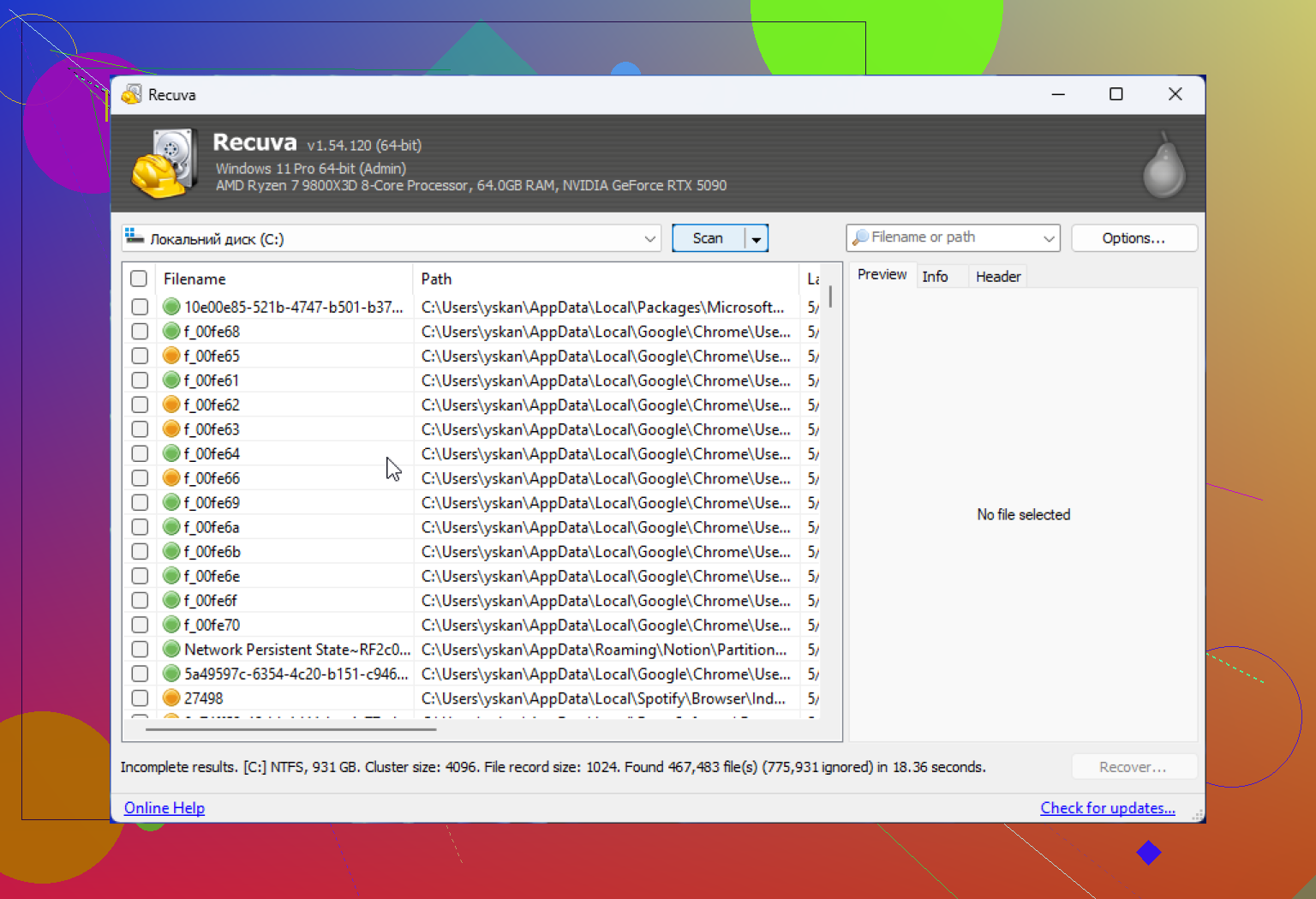
Yes, Recuva is safe for a beginner in the sense that it is a legitimate tool, not some sketchy fake recovery app. Where I slightly part ways with @suenodelbosque, @codecrafter, and @mikeappsreviewer is this: I would not judge it mainly by whether it is “easy.” Beginner-safe is really about how easy it is to avoid mistakes, not just how simple the buttons look.
Recuva’s pros:
- lightweight
- fast on simple deletions
- free for basic use
- low learning curve
Recuva’s downsides:
- not great once the file system is damaged
- can give optimistic results that still recover corrupted files
- weaker for more serious recovery jobs
That’s why Disk Drill is worth considering if the files actually matter.
Disk Drill pros:
- cleaner interface for nervous first-timers
- supports creating a backup image before recovery
- better for mixed situations like deleted, formatted, or partially damaged storage
Disk Drill cons:
- heavier than Recuva
- free recovery is limited on Windows
- some people may find it a bit more feature-packed than they want
My blunt version:
If this was just “oops, deleted a folder,” Recuva is fine.
If this was “these files cannot be replaced,” I’d skip straight to Disk Drill or even a pro service if the drive is making noises or disconnecting.
So yes, safe enough for a first-time user. Just not always the safest choice for the data itself.