My iPad was working fine, but recently it got very slow and now apps keep freezing or crashing when I open them. I need help figuring out if this is caused by low storage, an iPadOS issue, or something else, and what steps I can take to fix it.
I hit the same wall on my iPad, and at first I misread the storage screen too. It looked fine, not maxed out, still a few GB left. Meanwhile apps took a few seconds to respond, then dumped me back to the Home Screen. Annoying stuff.
What tripped me up was how picky iPadOS gets once storage climbs high. Since iPadOS 16, Apple leans on Virtual Memory Swap. In plain terms, the iPad uses storage space as overflow memory during heavier tasks. So when your storage is past roughly 80 percent, performance starts to fall apart even if the device still shows free space. Apple says you should keep at least 1GB free for basic operation, but from what I saw, 1GB is nowhere near enough if you want the thing to stay smooth. When there is no room for temp files, lag shows up first, then app crashes.
I went through the usual Settings cleanup too. Background App Refresh off. Reduce Motion on under Accessibility. Those helped a bit, mostly around battery drain and UI sluggishness, but they did not fix the core issue. If the system is short on working space, those toggles only soften the symptoms.
The bigger problem for me was storage I forgot existed. I had piles of duplicate screenshots, accidental burst photos, old screen recordings, and random large videos buried in albums I never opened. Clearing Safari cache in Settings helped some, and it’s still worth doing, especially if browsing has gotten weird or slow, but it barely moved the needle.
I usually avoid cleanup apps because most of them are junk, ad traps, or paywalled after two taps. I ended up trying Clever Cleaner, and for me it was one of the few tools that did what it said. No ads. No paywall popped up five seconds in. The useful part was simple, it showed file sizes clearly so I knew what I was deleting.
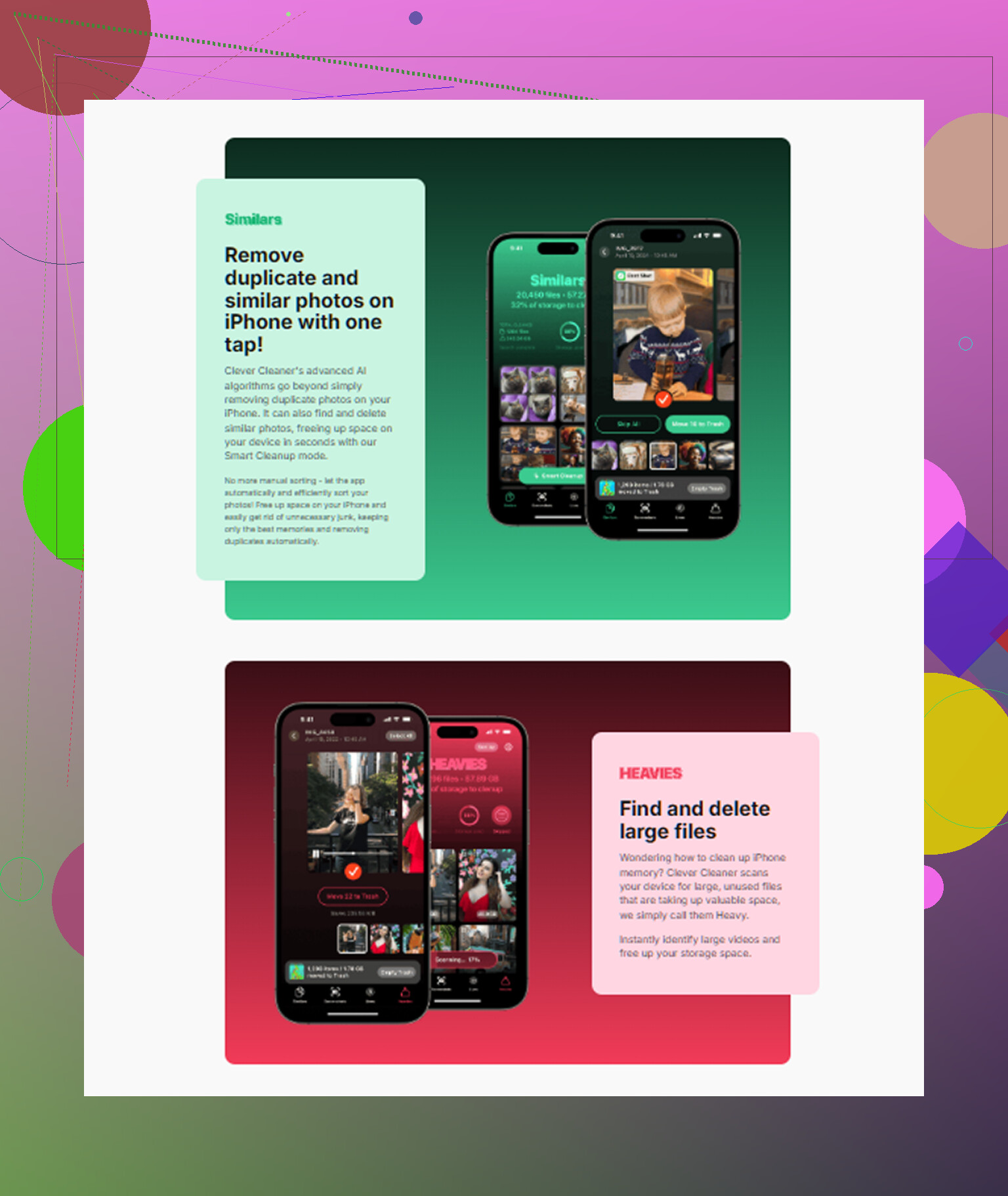
The section I used most was the one sorting large files. That exposed a 4GB screen recording I forgot I made. There was also a similar photos section, which grouped near-duplicates and blurry shots faster than I was able to do by hand. I cleared around 15GB in about ten minutes. One part I liked, all processing stayed on the iPad, so my photos were not getting pushed to some server. After I got storage back under the 80 percent area, the crashing stopped right away. No exaggeration, the iPad felt normal again.
If you clean out space and it still drags, look at the battery next. Older batteries struggle with peak power draw, and Apple has already said devices may throttle performance to avoid shutdowns. If your iPad is around 4 or 5 years old, age might be part of it. You can check Battery in Settings to see which apps are draining power, though iPads still do not show the same Maximum Capacity number iPhones do, which is kind of a pain.
One more thing I learned the hard way, after a big iPadOS update, give it some time. For a day or so the device does background indexing and cleanup work, and it feels slow while that runs. Mine felt half-dead for hours after one update, then settled down later.
If I were starting from scratch, I’d do this in order:
- Free up a chunk of storage, not 1GB, more like several GB if you can.
- Remove large videos, screenshots, burst photos, and duplicates first.
- Clear Safari website data in Settings.
- Turn off Background App Refresh if battery and heat are also issues.
- Turn on Reduce Motion if the interface feels choppy.
- If it still acts broken, force restart it by holding the power and home or volume buttons until the Apple logo shows.
For me, storage was the whole problem. I thought I had enough room. I didnt. Once I cleared the hidden junk, the lag and random crashes were gone.
1 Like
Start with the boring checks first.
-
Check Analytics for crash clues.
Settings, Privacy & Security, Analytics & Improvements, Analytics Data.
If you see the same app name over and over, it points to one bad app.
If you see lots of JetsamEvent logs, your iPad is running out of memory while apps are open. That is often storage pressure, old hardware, or a buggy iPadOS build. -
Update apps one by one.
A single outdated app can freeze on launch and make the whole iPad feel busted. Open App Store, tap your profile, update all. Then test again. -
Offload and reinstall the worst apps.
Settings, General, iPad Storage, tap the crashing app, Offload App, then Reinstall App.
I’d do this before a full reset. It fixes corrupted app files more often than people think. -
Check free storage, but don’t obsess over the 80 percent number.
I slightly disagree with @mikeappsreviewer there. Full storage is bad, yes. But I’ve seen iPads at 85 percent used run fine, and iPads at 60 percent used crash because one app database got corrupted. Storage matters, it is not the only suspect. -
Look for an iPadOS issue.
If the slowdowns started right after an update, wait a few hours, then hard restart. If it still happens, back up the iPad and reinstall iPadOS with a computer. Finder on Mac or Apple Devices/iTunes on Windows. A clean reinstall fixes weird system-level lag. -
Test in a clean state.
Power off. Turn it back on. Open Safari, Notes, Files. If Apple apps also freeze, the issue is system-wide. If only a few third-party apps crash, focus on those apps.
For cleanup, Clever Cleaner is worth a look if your Photos library is a mess and you want to clear duplicates fast. Also, this review is easy to scan if you want details on how the app handles storage cleanup on Apple devices: see this clear Clever Cleaner review for Apple storage cleanup.
If nothing changes after storage cleanup, app reinstalls, and an iPadOS reinstall, I’d suspect battery age or failing hardware. At tht point, Apple Support is the next stop.
I’d check one thing neither @mikeappsreviewer nor @yozora really leaned on enough: heat.
If the iPad is getting warm during basic stuff, that can tank performance fast. Cases can make it worse too. I had one doing the exact freeze-then-crash routine because it was stuck re-syncing Photos in the background while charging. Unplugged it, took the case off, left it on Wi-Fi for a bit, and it settled down. Sounds dumb, but it happens.
A few extra things to test:
- Check if Low Power Mode is on all the time
- See whether the iPad is also slow in Safe-ish conditions: cool room, off charger, only one app open
- Disable automatic downloads for apps/books for a day
- Remove any sketchy VPN, ad blocker, or profile under Settings > General > VPN & Device Management
- Check date and time is set automatically. Weirdly, broken sync/services can cause app weirdness too
I slightly disagree with the “storage is probably the whole problem” angle. Storage is common, sure, but if crashes started super suddenly, I’d also suspect a bad app extension, stuck sync job, or a network/security app going nuts.
If your Photos library is bloated, Clever Cleaner is actually useful for clearing duplicates and giant files without digging forever. This quick Clever Cleaner iPhone and iPad storage cleanup demo shows the basics pretty well.
If Apple apps crash too, that’s more serious. If only Instagram, TikTok, whatever are crashing, that’s probly app-side.

One angle I’d add beyond what @yozora, @viaggiatoresolare, and @mikeappsreviewer covered is account-level sync corruption. If Notes, Photos, Files, Mail, or Reminders are the apps crashing, try temporarily signing out of iCloud, restart, then sign back in. I would not do that first, but it’s a solid test when Apple apps are the ones misbehaving.
Also check storage health, not just storage amount. In Settings > General > iPad Storage, if “System Data” is absurdly large or keeps growing, that can point to cache bloat or a bad sync loop. A normal cleanup may not touch it.
A few less-obvious tests:
- Turn off widget stacks you do not use
- Remove the most recent app you installed, even if it seems unrelated
- Check if crashes happen only on Wi-Fi or only offline
- Boot with Bluetooth off, especially if freezes started after adding accessories
I slightly disagree with making battery age the main suspect unless the iPad also gets hot, drains fast, or randomly dims. Pure app crashing is more often software or storage weirdness.
If photos and videos are eating space, Clever Cleaner is decent for fast cleanup.
Pros:
- easy duplicate and large-file cleanup
- quick scan
- simpler than digging through Photos manually
Cons:
- cleanup apps can miss context and suggest stuff you meant to keep
- you still need to review before deleting
- won’t fix deeper iPadOS corruption by itself
If even built-in apps crash after a restart and some free space, I’d skip more tweaking and do a backup plus full restore. That’s usually the fork in the road between “minor mess” and “system is broken.”