I accidentally deleted photos from my Nikon camera before moving them to my computer, and I don’t have a backup. These pictures are really important, and I need help figuring out the best way to recover deleted Nikon camera photos safely without making things worse.
If you wiped photos from a Nikon, I would not write them off yet. What mattered for me was not the delete itself. It was what I did with the card after.
First step, stop using the card. Right away. No more photos, no reformat, no copying files onto it. On SD cards, deleted images often sit there until new data lands on top of them. Once you keep shooting, your odds drop fast.
Most Nikon bodies store photos on SD cards or another removable card, so this is less about ‘camera recovery’ and more about card recovery. I got better results pulling the card out and using a card reader on my computer. USB from the camera was worse for me, and slower too.
If you do not have a backup, recovery software is the route I took. I had decent luck with Disk Drill. The reason I tried it was simple. It reads Nikon file types like NEF, NRW, and JPEG, and it did not bury me in weird options.
What I did:
- Took the SD card out of the Nikon.
- Plugged it into my computer with a card reader.
- Installed Disk Drill on the computer, never on the SD card.
- Picked the SD card and hit Search for lost data.
- Ran Universal Scan. For deleted photos and quick formats, it worked fine for me.
- Waited for the scan to finish, then previewed the images. If the preview opened cleanly, recovery usually went well.
- Saved the recovered files to my computer, not back onto the same SD card.
If you lost video too, run Advanced Camera Recovery after the main scan. I saw it pull footage a normal scan missed, mostly when files were fragmented.
A few things tripped me up the first time:
- If the card shows as empty, do not assume the photos are gone. I have seen this happen after a quick format, file system damage, or a plain delete. If the old data has not been overwritten, you still have a shot.
- If you recover RAW files, especially NEF, Windows might not open them right away. Mine looked broken at first, but they were fine. I needed software with Nikon RAW support.
- Recovered files often come back with odd names, and the folder structure is often gone. Annoying, yes. Normal too. Recovery tools often identify files by file signatures, not by the original directory info.
Before you scan, check for copies in boring places people forget about. I found old transfers on a laptop once, and another time there were copies sitting in cloud sync. Look through your computer, external drives, SnapBridge, Nikon Image Space, Google Photos, Dropbox, or whatever else you had turned on.
One hard stop. If no computer detects the SD card, if the card is physically damaged, or if it keeps dropping connection during the scan, I would quit there. A failing card gets worse the more you poke it. At that point, a recovery shop makes more sense.
So yeah, deleted RAWs, an emptied card, or an SD card suddenly showing blank does not always mean done. If you stop using the card early and scan it soon, your chances are a lot better.
1 Like
Pull the card out of the Nikon and leave it alone. That part from @mikeappsreviewer is dead on. Your recovery odds depend on overwrite rate, not the delete button.
One thing I’d add, check whether your Nikon used dual slots or wrote small JPGs to one card and RAWs to the other. A lot of people forget slot 2 and spend hours scanning the wrong card. Also look in the camera’s Retouch menu or recent transfer cache if you ever used SnapBridge. It’s a long shot, but I’ve seen people find resized copies there.
I don’t fully agree with scanning forever on a shaky card. If the card disconnects once or starts reading slow, make an image of the card first with a tool like USB Image Tool or R-Studio, then scan the image. Less wear, less risk. If imaging fails, stop messing with it.
If you want software, Disk Drill is a solid pick for Nikon photo recovery, especially for NEF and JPG. Preview matters more than scan results. If a file previews clean, your odds are decent. Save results to your SSD or another drive, never back to the card. If names are missing, sort by EXIF timestamp after recovery.
If you want a quick walk-through before trying anything, this helped me: Disk Drill review with real recovery tests
If the card was formatted in-camera after delete, don’t panic yet. Quick format often leaves the photo data intact. If the card is bent, cracked, or gets hot, skip software and go to a lab. Thats the line where DIY starts making stuff worse.

Do not keep poking at the camera itself. I slightly disagree with people who jump straight into repeated scans on the original card. If these pics are truly important, the safer move is to make a sector-by-sector image of the card first, then do recovery work on the image, not the card. That matters if the file system is flaky or the card is starting to fail.
@mikeappsreviewer and @ombrasilente are right about one thing though: stop using the card imediately.
A few extra things to check that people miss:
- If your Nikon saved RAW+JPEG, one version may still exist even if the other looks gone.
- Some Nikon bodies create new folders after date changes or card errors, so browse the card manually from a computer before assuming it is empty.
- If you used a Mac, check Image Capture, Photos imports, and Trash. On Windows, check Pictures, OneDrive camera uploads, and import history.
- If the camera has dual slots, verify which card was active when you shot those photos.
For software, Disk Drill is a reasonable Nikon photo recovery option because it handles NEF pretty well and lets you preview results. But I would also compare it with this best data recovery software list for deleted photos and SD cards before you commit to one tool.
One more thing people don’t say enough: if the deleted photos were on the camera’s internal memory instead of the SD card, recovery odds are usually worse and the process is less straightforward. In that case, stop trying random stuff fast. That can go sideways realy quick.
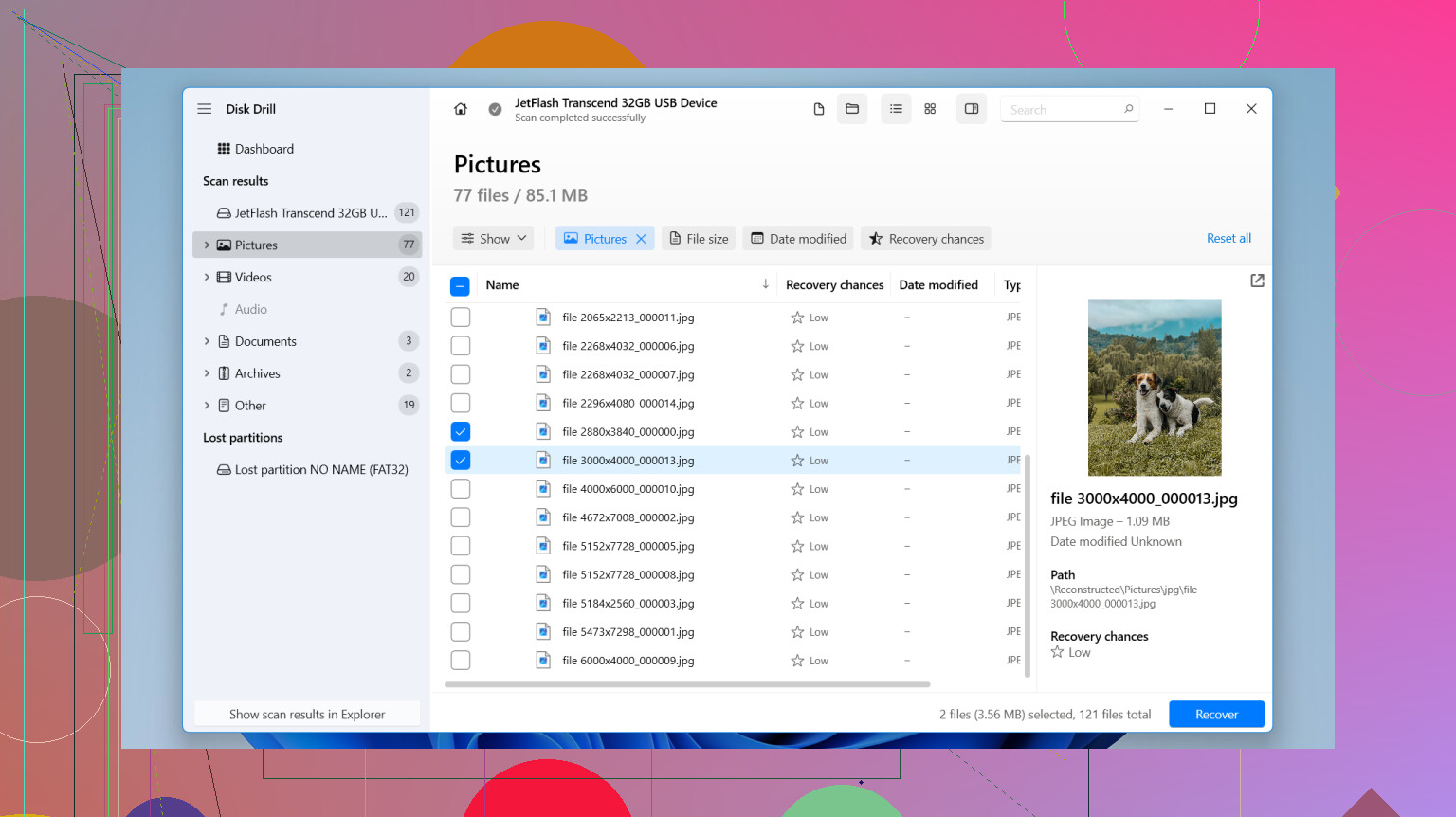
Only thing I’d add to what @ombrasilente, @vrijheidsvogel, and @mikeappsreviewer already covered: check whether the “deleted” shots were actually hidden by a damaged DCIM index, not truly erased. Nikon cards sometimes look empty in-camera while the data blocks are still there. On a computer, enable hidden files and inspect the card manually before scanning. I’ve seen photos sitting in odd folders after a camera hiccup.
I slightly disagree with “scan first, sort it out later” if the card has any history of errors. If the reader clicks, stalls, or the card mounts inconsistently, don’t keep retrying. Every reconnect is stress. At that point, recover from an image or stop and consider a lab.
About Disk Drill since it keeps coming up:
Pros:
- Good support for Nikon formats like NEF and JPG
- Preview is useful, which saves time
- Simple enough if you are not deep into recovery tools
Cons:
- Deep scans can return lots of junk by filename
- Full recovery is paid
- Not my first choice for a physically unstable card
One more practical tip: after recovery, compare file sizes. A recovered NEF that is way smaller than your usual Nikon RAWs is often incomplete even if it “opens.” If you shot bursts, also expect gaps where overwritten clusters broke the sequence.
So yes, Disk Drill is a reasonable DIY option, but validate the recovered photos, don’t just count them.