I accidentally deleted important files from my flash drive and realized too late that I don’t have a backup. I’m trying to find a free way to recover deleted documents and photos before I lose them for good. What free flash drive data recovery method or software actually works?
I learned this the hard way, so I’ll keep it blunt. If your USB stick is making clicking noises, drops off and reconnects by itself, or feels hot in your hand, unplug it and stop there. Don’t keep testing it. Don’t run CHKDSK. When hardware starts acting up, extra read and write activity tends to make the mess worse. CHKDSK is also rough on damaged storage. It tries to rebuild the file system, and I’ve seen it turn recoverable files into junk.
If the easy checks didn’t bring your files back, I’d assume one of two things happened. The file table got damaged, or the files were deleted for real. At that point, recovery software is the path most people end up taking.
Yeah, people often throw out names like PhotoRec, TestDisk, or Windows File Recovery. I’ve used them. They do work. I still wouldn’t point most people at them first. They’re text-heavy, easy to misuse, and PhotoRec in particular has a bad habit of giving you a mountain of files with names like f123456.jpg and no folder layout. Then you sit there opening them one by one like it’s 2009 and your whole afternoon is gone.
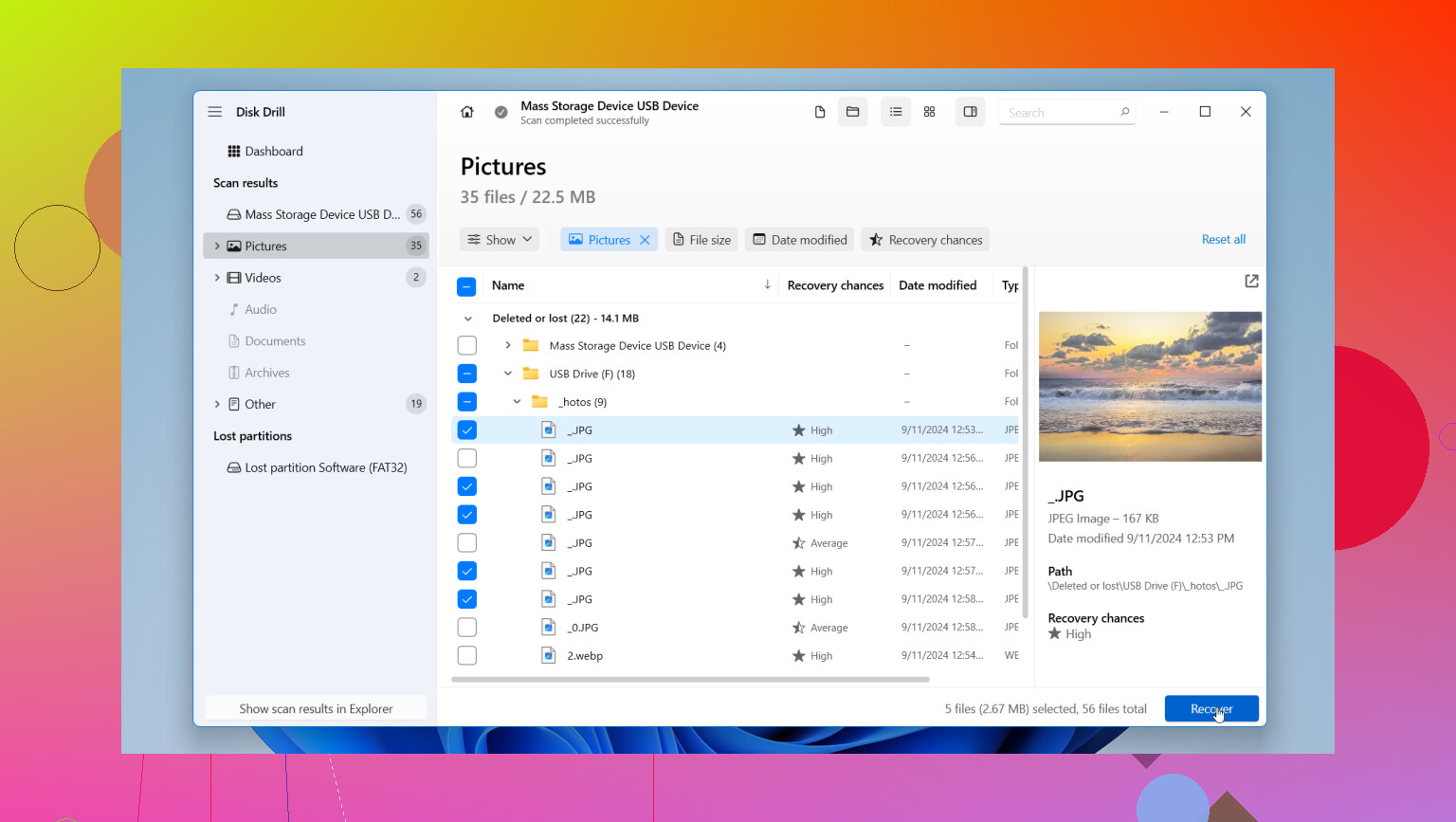
What I’ve had the least trouble with is Disk Drill. For normal users, it feels less risky and a lot easier to deal with. Three parts stood out when I used it for USB recovery:
- Byte-to-byte backup. First thing, it lets you make a full image of the USB drive. I’d do this before scanning anything else. Then you work from the image instead of hammering the original stick. If the drive is unstable, this matters a lot.
- Preview before recovery. You get to look at found photos, videos, and documents before restoring them. I like this because you know whether the scan found the stuff you care about, not random leftovers.
- Better structure retention. In my use, it did a much cleaner job with filenames, folders, and file type detection than the free terminal tools. It also reads BitLocker-encrypted drives, which saved me once.
One rule matters more than people think. Save recovered files to your computer’s internal drive, not back onto the same USB stick. If you write recovered data onto the damaged drive, you risk overwriting the files you’re still trying to pull off. I did this once years ago. Dumb mistake. Don’t repeat it.
After your files are safe on the PC, wipe and format the USB stick if you still want to test it. Me, I’d be a little suspicious of it after a failure. Storage is cheap, lost files aren’t. If the data matters, recover first, then decide whether the drive is worth keeping.
1 Like
Stop using the flash drive right now. Every new write cuts your odds.
I agree with part of what @mikeappsreviewer said, but I’m less down on the free tools. They’re ugly, sure, but free is free. If your drive still shows the right size in Windows and opens without errors, start with these:
- Recycle Bin. Rare, but check it.
- Windows File Recovery. Free from Microsoft Store. Best for deleted docs and photos if the USB is readable.
- PhotoRec. Free. Strong for photos and common document types. Bad at filenames, yep, but it pulls data when other tools miss.
- TestDisk. Better if the partition or file table is damaged.
Simple path:
- Plug in USB.
- Do not save anything to it.
- Recover files to your PC, not back to the stick.
- Run Windows File Recovery first with a doc or photo mode.
- If that fails, run PhotoRec and sort results by file type and date.
If you want less hassle, Disk Drill is easier to use for flash drive recovery and previewing files. The free part is good for scanning and checking what is still there. For people searching best data recovery software for 2026, it’s one of the easier picks to test first.
Also worth watching, see how USB file recovery works step by step.
One more thing. If the flash drive disconnects on its own, skip the free tool marathon. Copying sectors or imaging the drive first is the safer move. I learned this the dumb way, lol.

Free can work, but I’d add one thing neither @mikeappsreviewer nor @viajantedoceu really leaned on enough: check whether the files were “deleted” by the flash drive’s file system getting weird, not actually erased. I’ve seen USB sticks show empty folders after a bad unplug, then the files come back with a different PC, a different USB port, or Linux live boot. Sounds dumb, but it’s a 2 minute check before you go full recovery mode.
My order would be:
- Stop using the USB.
- Try another port/PC just to confirm it’s really gone.
- Show hidden files in File Explorer.
- If still missing, recover to your internal drive only.
- If the drive is flaky, image it first.
For actually free stuff, I’d try Windows File Recovery first for documents, then PhotoRec if you just need the raw files back and don’t care about names. TestDisk is more for partition/file table issues, not my first pick for plain accidental deletion.
Tiny disagreement with the “free tool marathon” idea: if the drive is stable and the deletion was recent, one careful pass with a free tool is fine. People sometimes overcomplicate this stuff tbh.
If you want the least confusing option, Disk Drill is probly the easiest to scan a flash drive with, preview what’s recoverable, and avoid wasting hours. The free recovery limit depends on version/OS, so check that before you commit.
Also, this thread on USB drive file recovery options and what actually works is worth a read.