I accidentally formatted my SD card and lost about two years of photos and videos that mean a lot to me. I haven’t added any new files since it happened, and I’m trying to figure out the safest way to recover the data before it’s gone for good. I really need help with SD card recovery steps, trusted recovery software, or anything that might help me get these memories back.
I’ve been through this with an SD card from a drone, and the first thing I’d do is stop using the card right now. If it was formatted and then mostly left alone, your files still have a shot.
What usually happens on cameras, phones, drones, and Windows systems is a quick format. That wipes the file index, not the photo and video data itself. So the card looks empty, while the old data still sits there until something new writes over it.
So, no more photos. No more video. Don’t move files onto it. Don’t let the device keep using it. Every write cuts into your odds.
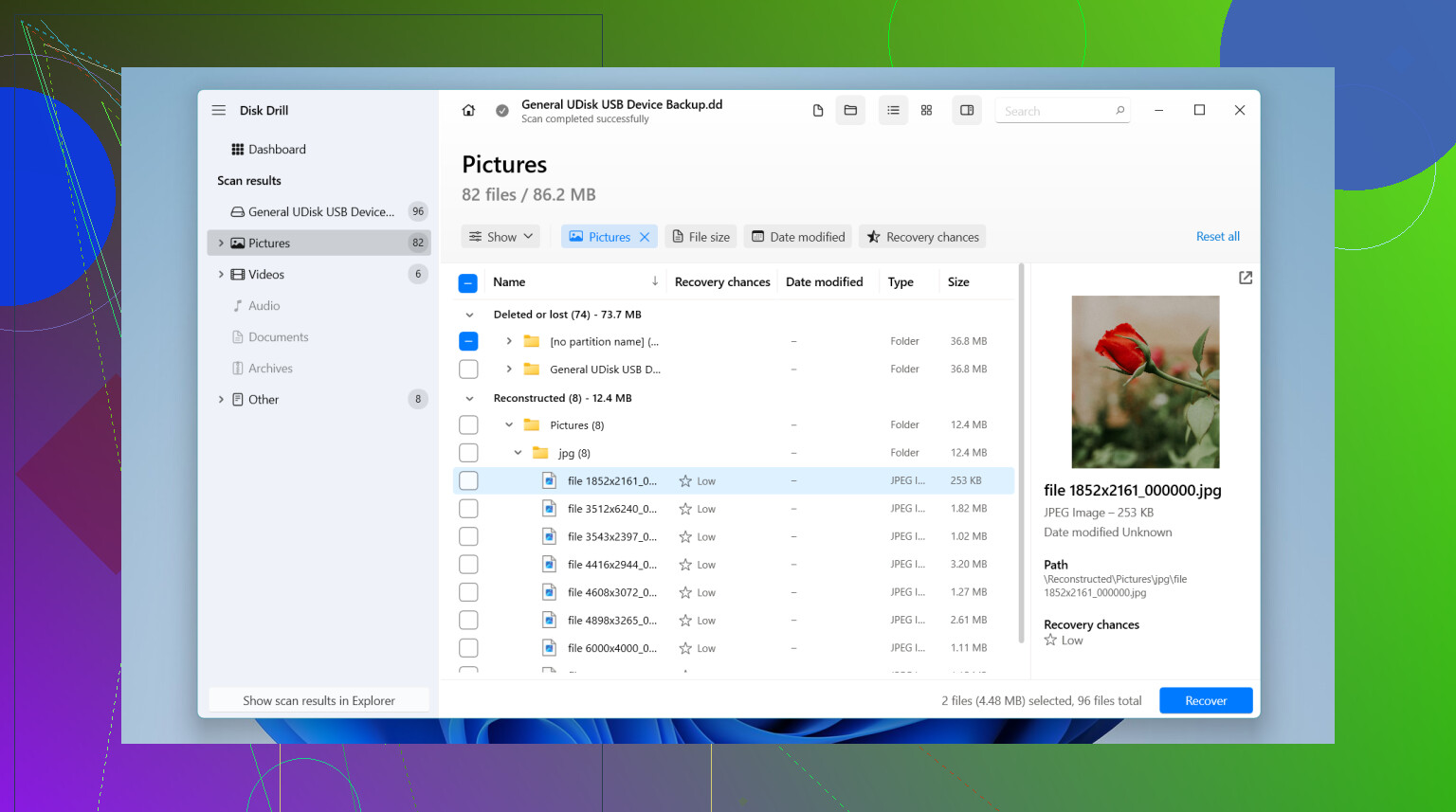
If you want the simple route, I’d start with Disk Drill. I used it because the layout was easy to figure out, and it did a better job on formatted SD cards than some of the other stuff I tried. The preview tool helped me sort junk from files that still opened. If your lost files are from action cams, drones, or dash cams, its camera-focused recovery mode is worth trying since those video files tend to get split up in weird ways.
What I’d do, step by step:
Pull the SD card out of the device.
Plug it into your computer with a card reader.
Install the recovery app on your computer’s internal drive, not on the SD card.
Run a scan on the card.
Check the preview results.
Save recovered files somewhere else, like your computer or another drive.
I also tried a couple of other tools. Recuva felt fine for easier cases, especially if you want something simple, but it didn’t do as well for me once the card had been formatted or the videos were broken up. UFS Explorer went deeper and handled messier cases better, especially when the card looked partly damaged, though I had to poke around the interface for a bit becasue it’s not made for casual users.
One place I’d stop and rethink things, if the card keeps disconnecting, shows up and vanishes, crawls during reads, makes odd sounds through the reader, or doesn’t appear at all. At that point I wouldn’t keep hammering it with scans. A recovery lab makes more sense there, since a failing card can get worse fast.
1 Like
If you haven’t written anything new to the SD card, your odds are still decent. That part matters most.
I agree with @mikeappsreviewer on stopping all use. Where I differ a bit is this. Before running recovery software, make a full image of the SD card first if your PC sees it cleanly. Use a tool like USB Image Tool, Win32 Disk Imager, or dd on Mac/Linux. Work from the image, not the card. If a scan crashes or the card starts acting flaky, you still have one clean snapshot. People skip this step, then regret it.
After that, try Disk Drill or another recovery app against the image file. Disk Drill is solid for formatted SD card recovery, esp for photos and common video formats. If filenames and folders are gone, sort by file type and preview what opens. For photos, recovered JPGs and RAW files often come back better than videos.
One more thing. If this was a full format, not a quick one, recovery odds drop a lot. On most cameras it’s a quick format, so that’s in your favor.
Useful read here on recovering photos after formatting an SD card, recover photos after formatting an SD card.
Best search phrase for this issue is formatted SD card photo recovery, since most guides use those exact terms.

I’d add one thing to what @mikeappsreviewer and @hoshikuzu said: don’t judge recovery by the first scan result alone. A lot of people run one pass, see weird filenames or missing folders, and assume the card is toast. Not always true.
Formatted SD cards often come back in two layers:
- whatever old folder structure can still be rebuilt
- raw file carving, where photos/videos are found by signature only
That second method is messy, but it can save a ton of stuff. You may lose original names and dates in some cases, but the actual image/video can still be fine. So if Disk Drill shows both reconstructed and found files, check both sections. Thats where people miss recoverable files.
I slightly disagree with the “scan forever” mindset too. If the card starts throwing read errors, slows to a crawl, or mounts inconsistently, stop. Repeated rescans can make a dying card worse. In that case, one image attempt or pro recovery is smarter than brute forcing it.
Also, if these are really irreplaceable family photos, I would not experiment with 8 different free tools first. Every tool reads the card differently, and some are kinda janky tbh. Pick one solid option, ideally Disk Drill, scan carefully, recover to another drive, then review results.
For extra help, this step-by-step SD card photo recovery tutorial after formatting is worth a look.
Big thing is: no new writes = still decent odds. That part is huge.