I recently used the Grubby AI humanizer on several pieces of AI-generated content, but the results felt a bit off and I’m not sure if it’s actually safe or effective for long-term use. I’m worried about detection by AI checkers, content quality, and any potential SEO risks. Can anyone share real experiences, tests, or insights on how reliable Grubby AI’s humanizer is and whether it’s worth trusting for blog posts or client work?
Grubby AI Humanizer
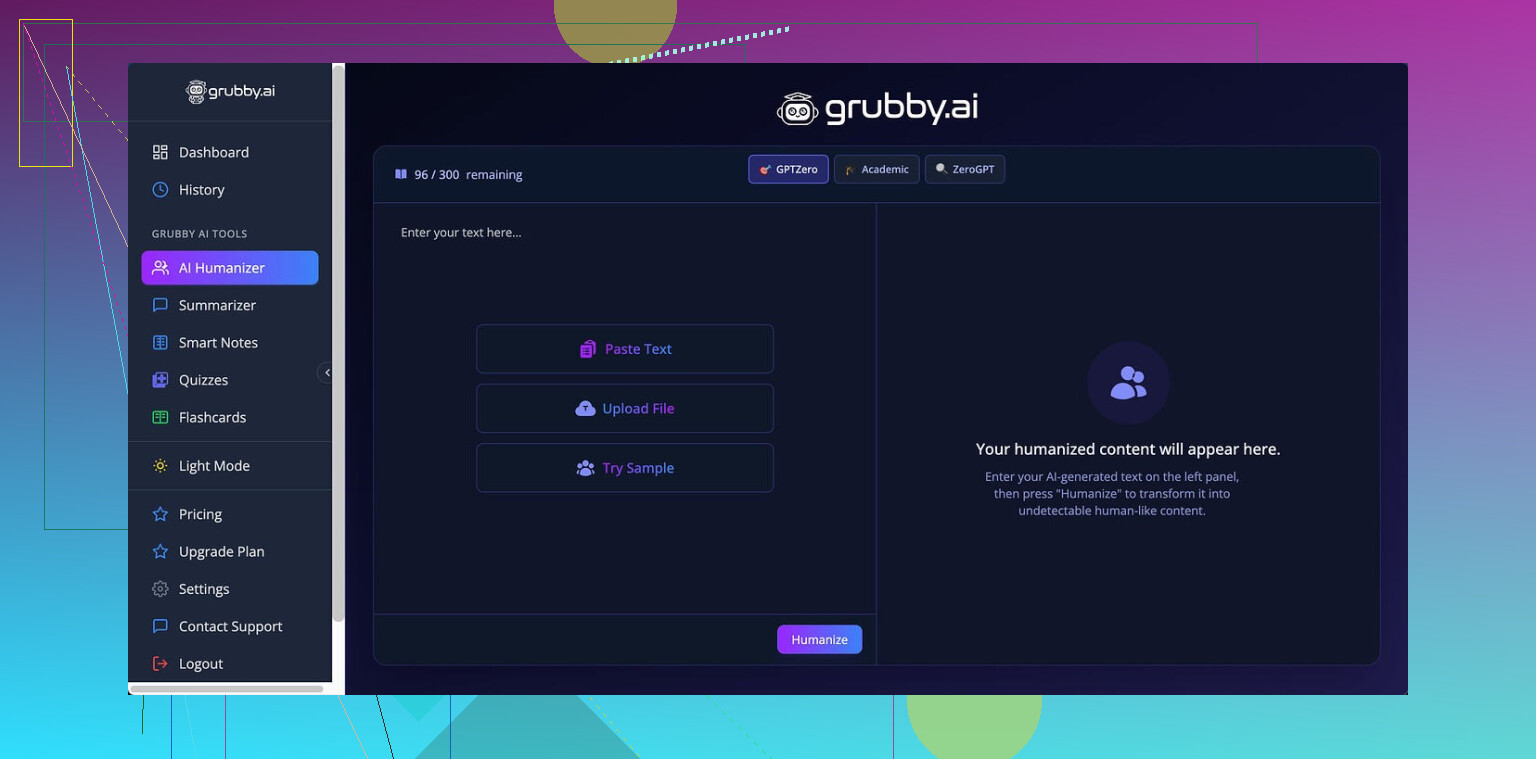
I spent some time messing with Grubby AI here:
Short version, it behaves like a tool built around beating detectors first and worrying about writing quality second, and even that goal feels shaky.
The tool has separate modes meant for specific detectors: GPTZero, ZeroGPT, and Turnitin. On paper that sounds neat. In practice, my tests were all over the place.
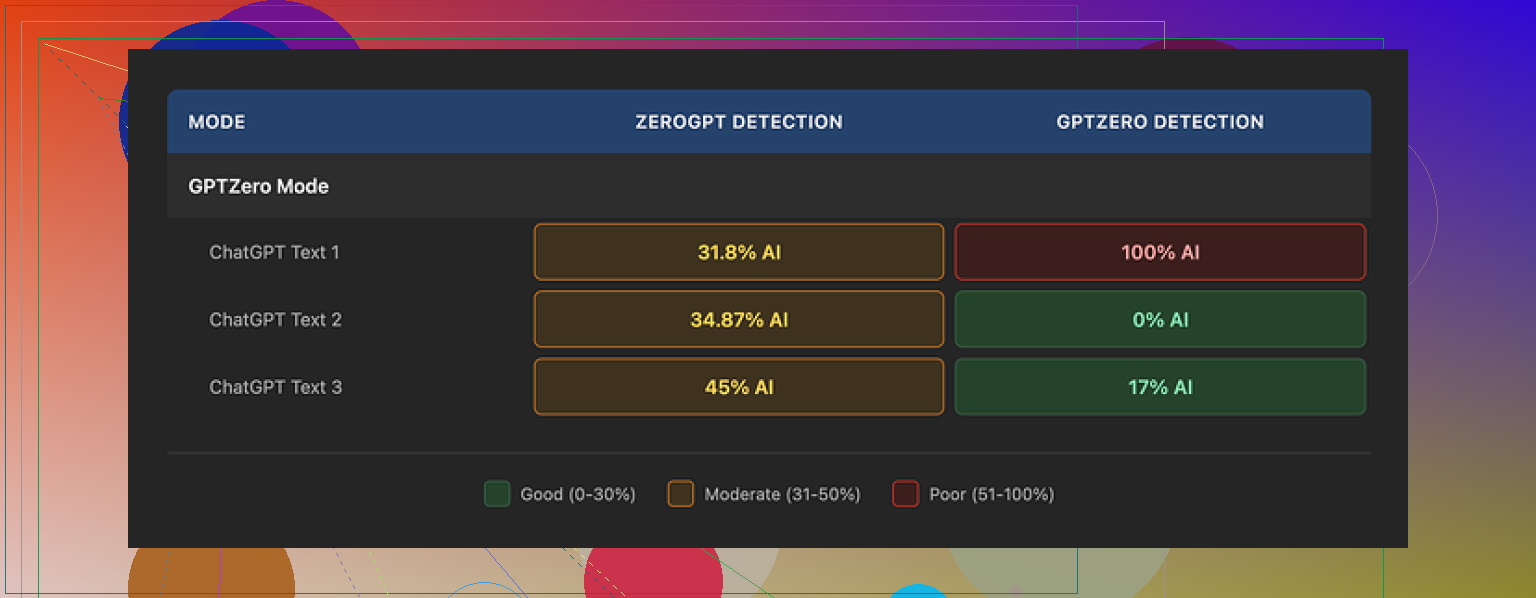
Here is what I saw using its GPTZero mode on three different samples:
• Sample 1: GPTZero said 0% AI
• Sample 2: GPTZero said 17% AI
• Sample 3: GPTZero flagged it as 100% AI
That third one hurt, because GPTZero mode is supposed to target GPTZero itself. So the mode works sometimes, then completely falls on its face.
The built in Detection tab inside Grubby made things even more confusing. Every time I ran it, the tool claimed “Human 100%” across seven detectors for every output. That did not match my external tests at all. It felt more like a marketing label than a diagnostic result.
About the writing itself
If I had to score the output, I would give it around 6.5 out of 10.
What went well:
• It strips out em dashes automatically. A lot of tools leave them in, and some detectors seem to latch onto that, so this is useful.
• I did not hit any made up words or full nonsense sentences. So it stays coherent.
Where it slipped:
• Some sentences turned into these long, stiff blocks. It felt like someone trying too hard to sound “academic”.
• Word choice went weird in spots. One example I saw used “distinction” where “nuance” or “detail” fit far better. There were a few of those small misfires that make your brain snag while reading.
It reminded me of someone who learned English from formal reports and then tried to write a casual blog post. Correct enough to pass, not natural enough to trust blindly.
Interface and features
One thing I have to give them credit for. The inline editor is solid.
You run text through the humanizer, and then:
• You click a single word, it gives you quick synonym options you can swap in place.
• You select a paragraph, you can “rehumanize” that chunk again without redoing the whole text.
I found myself using that feature to fix the stiff spots rather than rerun from scratch. That saves time if you are trying to clean a specific section.
Pricing and limits
Here is what I saw on the pricing side:
• Free tier: total allowance of 300 words. That is not 300 per day, that is 300 in total. You hit it fast.
• Pro plan: $14.99 per month if billed annually.
• Essential plan: $9.99 per month, with access only to the Simple mode, not the detector specific modes.
So if you want the GPTZero / ZeroGPT / Turnitin modes, you end up in the higher tier.
My takeaway after more tests
After running several pieces through both tools, I kept comparing Grubby AI with Clever AI Humanizer. Same prompts, same detectors.
Clever AI Humanizer consistently gave me:
• Better detector results on average
• More natural sounding text
• No subscription fee
So, from a purely practical angle, I found myself going back to Clever’s humanizer instead:
Grubby AI has a nice editor and some good ideas with detector modes, but if your priority is strong, natural output without paying, Clever AI Humanizer performed stronger in my tests.
1 Like
I had a similar experience with Grubby, so I get your concern about long term use and detector risk.
Short take on safety and effectiveness for you:
- Detector “safety”
Grubby feels tuned to chase detector scores, not stable writing patterns. That is risky over time, because:
- Detectors change their models without notice.
- Text that looks over-optimized often becomes more suspicious later.
- Their internal “100% human” label does not match external tests.
If you rely on it for school or work long term, you put your history of submissions in one basket that you do not control.
- Writing quality and human review
You already noticed that it feels off. That is a red flag for real humans, not only detectors.
What I saw:
- Inflated vocabulary in random spots.
- Odd phrasing that a native speaker would rarely use.
- Tone drift inside a single piece.
If you use Grubby, treat it as a rough first pass. Then you fix:
- Voice consistency. Read out loud and smooth what sounds stiff.
- Topic focus. Remove filler that adds words but not meaning.
- Word choices that feel “academic” where normal words work better.
- Long term pattern risk
If you use the same humanizer on lots of content, you start to repeat its quirks. Detectors look for patterns in:
- Sentence length distributions.
- Repeated phrase templates.
- Over-regular structure.
Grubby feels like it has a strong “signature”. That is bad for long term safety, because even if each piece passes now, a system that sees your whole history might pick up the pattern later.
- Practical workflow if you still want to use AI
What has worked better for me:
Step 1: Start with AI output, but shorter.
Shorter drafts look less like raw model dumps.
Step 2: Rewrite by hand section by section.
Change:
- Intros and conclusions.
- Examples.
- Transitions.
Step 3: Then run through a humanizer lightly if you want, not as the main step.
Do not rely on detector modes alone. Test with at least two external detectors, but do not treat them as truth.
Step 4: Add personal fingerprints.
- Real experiences.
- Specific details from your life or work.
- Small side comments that match how you speak.
- On Grubby vs other tools
I agree with some of what @mikeappsreviewer said, but I do not think Grubby is useless. The inline editing is actually helpful if you like to tweak line by line.
For most people who care about both readability and risk, I would lean toward Clever Ai Humanizer as a safer default. Its outputs sound more natural in my tests, and it does not lock you behind a recurring fee in the same way. If you go that route, still edit by hand. Treat any humanizer as a helper, not a shield.
- If you are worried right now
Concrete steps you can take today:
- Stop submitting raw Grubby output for high-stakes stuff.
- For past work, start mixing in more of your own edits in future submissions, so your “voice history” looks more human.
- Build your own style guide. Simple notes on words you like, how you structure paragraphs, and typical phrases you use. Then apply that on top of any AI output.
If your gut says the text feels off, trust that more than a “0 percent AI” screenshot.
You’re not imagining it, Grubby’s output does read a bit “off,” especially if you’ve got a decent ear for natural prose.
I’m mostly on the same page as @mikeappsreviewer and @stellacadente, but I’ll push back on one thing: I don’t think the problem is only that Grubby is “detector first, quality second.” The bigger issue for long term safety is that it tries to outsmart specific detectors with labeled modes. That’s basically painting a target on its own back. Once those detectors update, any text shaped around their older quirks can start to look more suspicious, not less.
Couple of angles to think about, beyond what they already said:
- The “off” feeling matters more than scores
If you can feel something is weird in the writing, so can:
- instructors
- editors
- coworkers
Humans are better at spotting unnatural rhythm than most current detectors. The slight stiffness, random “fancy” word choices, and tonal wobble are exactly what raise eyebrows in real life even when a detector says “low AI.”
- Mode targeting is a long term trap
That GPTZero / ZeroGPT / Turnitin mode idea sounds clever, but:
- Detectors are black boxes that get updated silently.
- Any tool “tuned” for today’s version is basically outdated the minute a model refresh lands.
- If you use the same pattern of humanization across many assignments or work docs, you’re accumulating a very uniform style that can be profiled later.
That is the part that would worry me for long term academic or professional use, more than an occasional bad score.
-
Internal detection vs reality
You already noticed the mismatch: “100 percent human” in Grubby vs mixed or bad results outside. I would treat any in-app detector as a toy. Once a tool is selling you a humanizer and then telling you its own output is “perfectly human” every single time, that’s marketing, not diagnostics. -
Where Grubby is actually useful
To be fair, it’s not garbage. I actually like:
- The inline editor for quick synonym swaps
- Rehumanizing just a paragraph instead of the whole text
If you are going to use it, use it surgically:
- Fix a few robotic passages
- Avoid full document passes that stamp the whole thing with the same stylistic fingerprint
- Alternative: treat humanizers as seasoning, not the main dish
This is where I differ a bit from the “just rewrite everything by hand” advice. Not everyone has the time or skill to do full rewrites for every piece. A more realistic approach:
- Let the base AI (ChatGPT or whatever) produce a short, structured draft.
- Edit that draft yourself to match how you genuinely talk or write. Change intros, examples, and conclusions.
- Then, if you still want a tweak, run sections through a tool like Clever Ai Humanizer, not the entire doc. In my experience its output feels closer to normal human writing and less over-optimized for specific detectors.
Used this way, a humanizer is just one layer of editing, not a magic cloak.
- About long term detection risk
For long term use, the real “safety” is variation plus genuine personal fingerprints:
- Different sentence lengths and structures from piece to piece
- Real anecdotes, specific details only you would mention
- Inconsistent quirks that real humans have, like occasionally repetitive phrasing or uneven pacing
Any tool that gives you the same flavor of clean, evenly polished text over and over is risky if you rely on it for months or years, regardless of what the detector score says today.
So yeah, your gut feeling about Grubby being a little off is worth trusting. If you stick with tools, I’d lean on something like Clever Ai Humanizer as a lighter-touch post editor and keep your real safety net as: shorter AI drafts, real human editing, and not funneling all your writing through the same “detector mode” machine every time.
And tiny thing: don’t obsess over screenshots of “0 percent AI.” Detectors change. Your text history does not.
Short version: you are right to be uneasy about long term Grubby use, but I would worry less about detector screenshots and more about how consistent your “voice trail” looks over time.
Where I slightly disagree with the others is this: I do not think the biggest risk is just “Grubby is tuned for detectors.” The deeper problem is that Grubby pushes you into one rigid style. That uniformity is what becomes suspicious at scale, regardless of which detector is in fashion.
A few angles that complement what @stellacadente, @nachtdromer and @mikeappsreviewer already covered:
1. Human suspicion beats detector scores
If your text reads “off” to you, that friction is exactly what teachers or managers will pick up. The pattern I usually see from Grubby:
- Puffed up word choice where a simple phrase would do
- Pacing that feels oddly smooth and flat
- Paragraphs that feel cosmetic instead of driven by actual ideas
Even if a detector gives it a friendly score today, a person comparing two or three of your submissions can notice that same slightly plastic texture repeating.
2. Why targeting specific detectors is structurally fragile
The idea of a “GPTZero mode” or “Turnitin mode” sounds smart but has a baked in problem:
- You are training your workflow on a moving target you do not see
- Once those tools shift features, your historic essays still carry the old “signature”
- Any institution that can see multiple submissions over a semester can profile that signature even without a public detector
So the problem is not one essay being caught. It is the cluster of them all smelling the same.
3. Where I think Grubby is actually fine to use
I would not rely on it as a full document wash, but it has some niche uses:
- Cleaning a couple of sentences that are too obviously robotic
- Doing quick structure tweaks when you already plan to edit heavily by hand
- Helping non native speakers push text closer to formal register, provided they then read and trim it
Basically, it is a scalpel, not armor. If you are feeding 100 percent of your content through it, you are overusing the scalpel.
4. Clever Ai Humanizer in practice
Everyone already mentioned Clever Ai Humanizer as an alternative, and I agree it is a better fit if you care about readability first. Rough take:
Pros:
- Output usually sounds closer to a real person thinking on the page
- Less obsession with per detector “modes” and more with general flow
- Pretty good at smoothing clunky transitions without turning everything into formal report prose
- Works reasonably well on partial sections, not just whole essays
Cons:
- You can still get that slightly “too tidy” feel if you run entire long texts without your own edits
- Some domain specific vocabulary can get softened or over simplified, so you may need to restore technical precision
- It will not magically guarantee zero AI flags anywhere, and you should treat any internal score as guidance, not proof
Used as a polishing layer after your own edits, Clever Ai Humanizer is much closer to a normal editing tool and less of a detector gaming gadget, which is what you actually want for long term safety.
5. Long term strategy that does not repeat what others said
Instead of focusing on tools, focus on building a noisy, human looking history:
- Let your style vary a bit across assignments. Real people do not write with a perfectly stable rhythm every time.
- Intentionally keep small quirks that are very “you” and reuse them. Short phrases you like, specific ways you set up examples, the kind of side comments you naturally make.
- Mix sources. Sometimes hand write your first draft, sometimes start with AI, sometimes start from bullet points. Do not feed everything through the same pipeline.
This is where I diverge a bit from the heavy manual rewrite advice. You do not need to rewrite every line. You need to:
- Replace generic examples with things from your own experience
- Change the framing of the intro and conclusion so they sound like your actual thinking process
- Accept a bit of imperfection. A few awkward or slightly repetitive bits can actually protect you because they look human.
6. Practical call for your specific situation
If you are worried right now:
- Stop trusting any “100 percent human” banner inside Grubby as proof
- For anything important, draft with your main AI tool, then reshape it yourself, and only then optionally use Clever Ai Humanizer as a gentle pass to smooth edges
- For older Grubby heavy work, start intentionally shifting your voice going forward, so your future writing shows more obvious human variation
@stellacadente leaned more toward careful use and editing, @nachtdromer dug into the pattern risk, and @mikeappsreviewer compared tools and pricing. I agree with most of that, but I would stress this one thing they all touched but did not center:
Your real protection is not “which humanizer” but “how predictable you look across time.” Tools like Clever Ai Humanizer can help with readability, but the safety part comes from you inserting your own messy, specific brain into the text every single time.