I accidentally formatted a USB flash drive that had important files on it, and now I’m trying to figure out the safest first step to recover the data. I haven’t saved anything new to the drive because I’m worried about overwriting the files. What should I do right away, and are there any reliable USB data recovery methods or tools I should try?
I did the same dumb thing a while back, except mine was a drive with family event photos on it. Sick feeling in your stomach, I know. Still, a format does not always wipe the files for good.
The first thing I’d sort out is what kind of format happened.
If the format finished fast, like a few seconds or under a minute, it was likely a quick format. In plain terms, Windows clears the drive’s file index and leaves the old file data sitting there until new data lands on top of it. If it ran for a long time, then it was more likely a full format, and recovery gets a lot rougher because more data gets overwritten.
Right now, the safest move is simple. Stop using the drive.
- Do not format it again
- Do not run CHKDSK or any repair app
- Do not copy test files onto it
Any write to the drive lowers your odds.
Before you install recovery tools and spend hours scanning, check the boring places first. I missed this once and wasted half a night.
- Cloud sync folders like Google Drive, OneDrive, iCloud, or Dropbox
- Old folders on your PC, Downloads, Desktop, Documents
- Email attachments, chat apps, or files you sent to someone else
Sometimes the files are already sitting in a second location and you forgot.
If they are not anywhere else, then yes, use recovery software. I had decent luck with Disk Drill. It got back most of my files, somewhere around 90 percent from what I remember.
What I did:
- Installed it on the computer itself, not on the USB drive
- Connected the USB and opened Disk Drill
- Picked the USB from the device list and started Search for Lost Data
- Used Universal Scan, since the drive had been formatted
- Let the scan finish fully, even when it looked done early
- Previewed files before recovery, if a file opened in preview, it usually recovered fine
- Saved recovered files to another drive, never back to the same USB
If the USB starts acting strange, random disconnects, read errors, slow scans, stop pushing it. There’s a safer route. Disk Drill lets you create a full byte-for-byte image first, then scan the image instead of the physical drive. I’d do that if the hardware seems unstable.
I would not give up yet. If this was a quick format and you have not written new data to the drive, your chances are still decent. If software turns up nothing and the files matter a lot, like personal photos or work stuff you cannot replace, a pro recovery shop is still an option.
1 Like
First thing, unplug the USB and set it aside. You already did the most important part by not writing new files to it.
I agree with @mikeappsreviewer on stopping all use, but I’d add one thing before a long scan. Check the drive’s size and health in Disk Management. If Windows shows the wrong capacity, RAW, or it keeps reconnecting, stop messing with the stick itself. Image it first, then work from the image. USB flash drives fail in ugly ways, and repeated scans make it worse.
A few practical points.
- Do not “test” recovery on the same USB.
- Do not let Windows offer to fix it.
- Use a diff drive for recovered files.
- If the files matter a lot, skip DIY after the first read attempt.
I slightly disagree with the quick vs full format focus people bring up. On newer Windows versions, a full format is bad news, yes. But cheap USB controllers also do weird stuff with wear leveling, so even a quick format on a flaky stick gets messy fast. The drive’s condition matters almost as much as the format type.
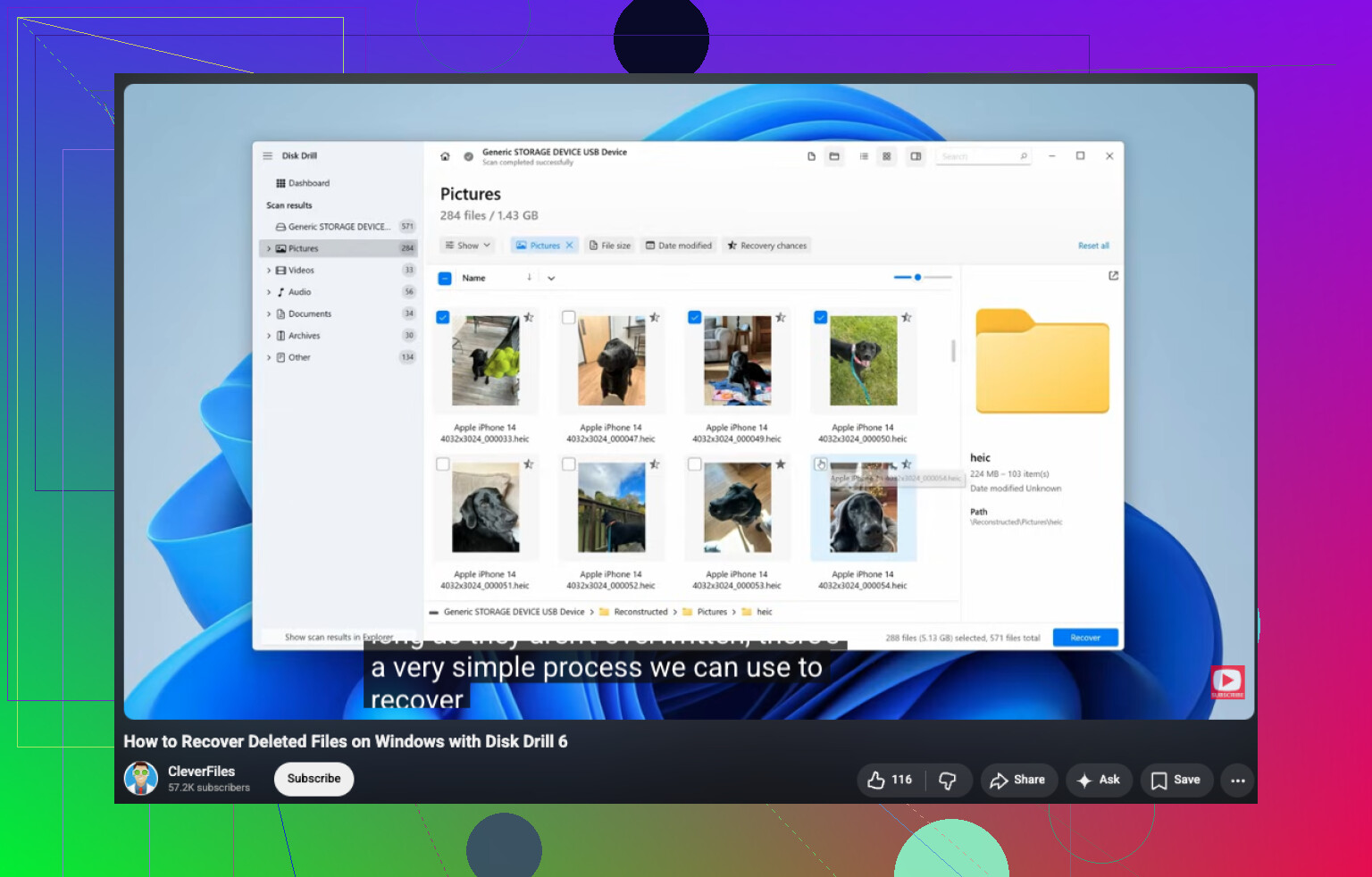
If you want a home option, Disk Drill is a solid pick for formatted USB recovery. Scan, preview, and recover to your PC or another external drive. If previews look broken, stop and reassess. Do not keep hammering the stick for hours if it’s throwing errors.
For plain-English formatted USB data recovery tips, this video is decent: watch this USB data recovery walkthrough
If the files are irreplaceable, family photos, legal docs, work archives, the safest first move is a pro lab, not more software. That part sucks, but it saves data more oftne than repeated DIY tries.
First move? Put the USB down and treat it like evidence, not a storage device.
I mostly agree with @mikeappsreviewer and @waldgeist, but I’d tweak the order a bit. Before jumping into a big recovery scan, figure out whether the files are worth a DIY attempt at all. If this is irreplaceable stuff, like tax records, client files, baby photos, the safest first step is actually to avoid experimenting too much and consider a pro lab early. People burn their best recovery chance by doing five ‘just one more scan’ attempts.
Also, don’t obsess too much over quick format vs full format as the only clue. That matters, sure, but file system type matters too. A USB formatted as exFAT, FAT32, or NTFS can behave differently in recovery, and some tools read one better than another.
What I’d do:
- Plug it in once and check if it mounts normally.
- If it does, make an image of the whole USB first if possible.
- Then scan the image, not the stick.
- Recover files to your computer or another external drive.
That reduces wear on a possibly dying flash drive. Kinda boring advice, but boring is how you save data.
If you want a home tool, Disk Drill is a reasonable formatted USB recovery option. I’d use it for imaging first, then scanning. If the scan previews your files correctly, that’s a pretty solid sign. If previews are corrupted or filenames are all junk, don’t keep poking at it forever.
Also, this is worth a read if you want more real-world formatted USB recovery discussion: best Reddit tips for unformatting a USB flash drive
Big thing is, don’t panic-click. That’s how ppl turn recoverable into gone-gone.
One small disagreement with @waldgeist, @reveurdenuit, and @mikeappsreviewer: I would not even leave the stick mounted longer than needed just to poke around in Windows. Auto-mount, indexing, and “helpful” OS behavior are rare risks, but when the files matter, rare is enough.
My first move would be:
- Write-protect it if the USB has a physical switch.
- Use another machine if possible.
- Make a sector-by-sector image immediately.
- Do every recovery attempt from that image only.
That matters because flash drives are weird. Wear leveling can scatter data, and a formatted volume can still be recoverable even when the directory structure is toast.
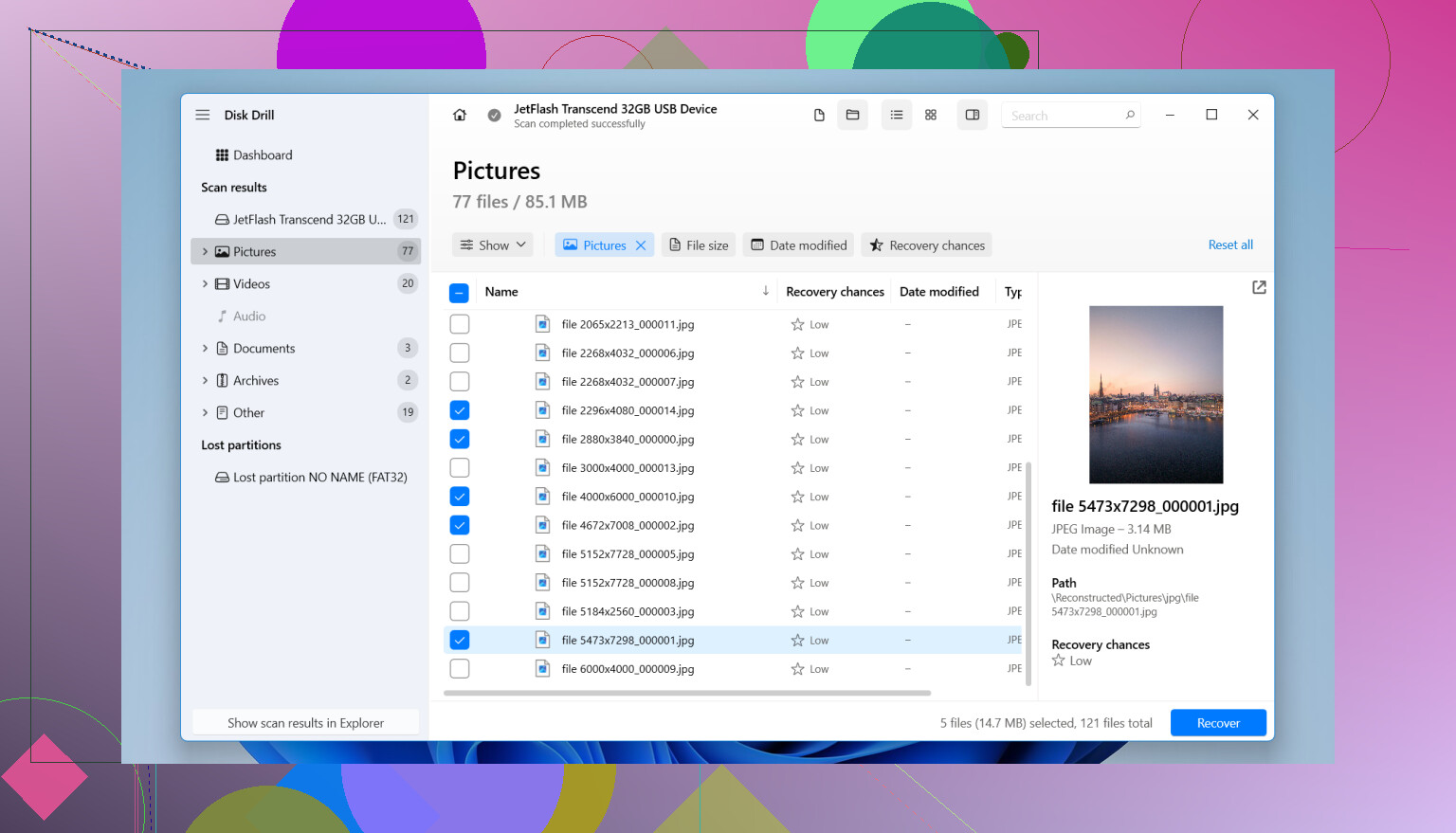
If you do DIY, Disk Drill makes sense mainly because it can image first and then scan the image. That is the feature I’d care about most here.
Disk Drill pros:
- Easy preview of recoverable files
- Good for quick-format cases
- Imaging helps reduce risk
- Simple enough for non-experts
Disk Drill cons:
- Deep scans can take forever
- Recovery names/folders may come back messy
- Best features are not really “free”
- Not magic if the controller or NAND is failing
If the drive gets hot, disconnects, or shows changing capacity, stop. That is no longer a software problem.