I’ve used CCleaner on my Windows PC for years and it really seems to help with junk files and performance. I just noticed there’s a CCleaner app for iPhone and I’m not sure if it actually does anything useful on iOS or if it’s basically pointless due to Apple’s built‑in storage and memory management. Has anyone here tried it long term—does it really free up space or improve performance, or is it just another cleaner app I should skip?
Short version. CCleaner for iPhone is mostly pointless because iOS does its own cleanup and Apple locks down what third party apps do.
Longer breakdown.
- How iOS handles junk and performance
- iOS manages RAM by itself. When an app needs memory, the system kills background apps.
- There is no registry like Windows, so no registry cleanup helps.
- System caches clear over time or after updates.
- If you restart your iPhone, you clear a lot of temporary stuff anyway.
- What “cleaner” apps on iPhone usually do
Most of them:
- Scan photos for duplicates, similar shots, screenshots, blurry pics.
- Scan contacts for duplicates or missing info.
- Help remove large videos and big files.
- Show storage usage in a nicer way.
They do not:
- Speed up the CPU.
- Fix deep system problems.
- Bypass iOS storage protections.
- CCleaner for iPhone specifically
- It focuses on photos, videos, contacts, and simple storage management.
- It does not have the same system access as on Windows.
- Any “performance” gain you feel is usually from freeing storage if you were almost full. iOS slows down when storage is under 1–2 GB free.
- When an iPhone cleaner app is useful
It helps if:
- Your storage is nearly full.
- Your Photos app is a mess with duplicates and similar shots.
- You never manage old videos or WhatsApp media.
- You want a quick way to bulk delete stuff instead of tapping one by one.
If your phone has enough storage and you already manage photos and apps, these tools add little.
- A better option than generic cleaners
If you want something focused on real, practical cleanup instead of “magic performance,” look at a photo and storage cleaner that uses smarter filters.
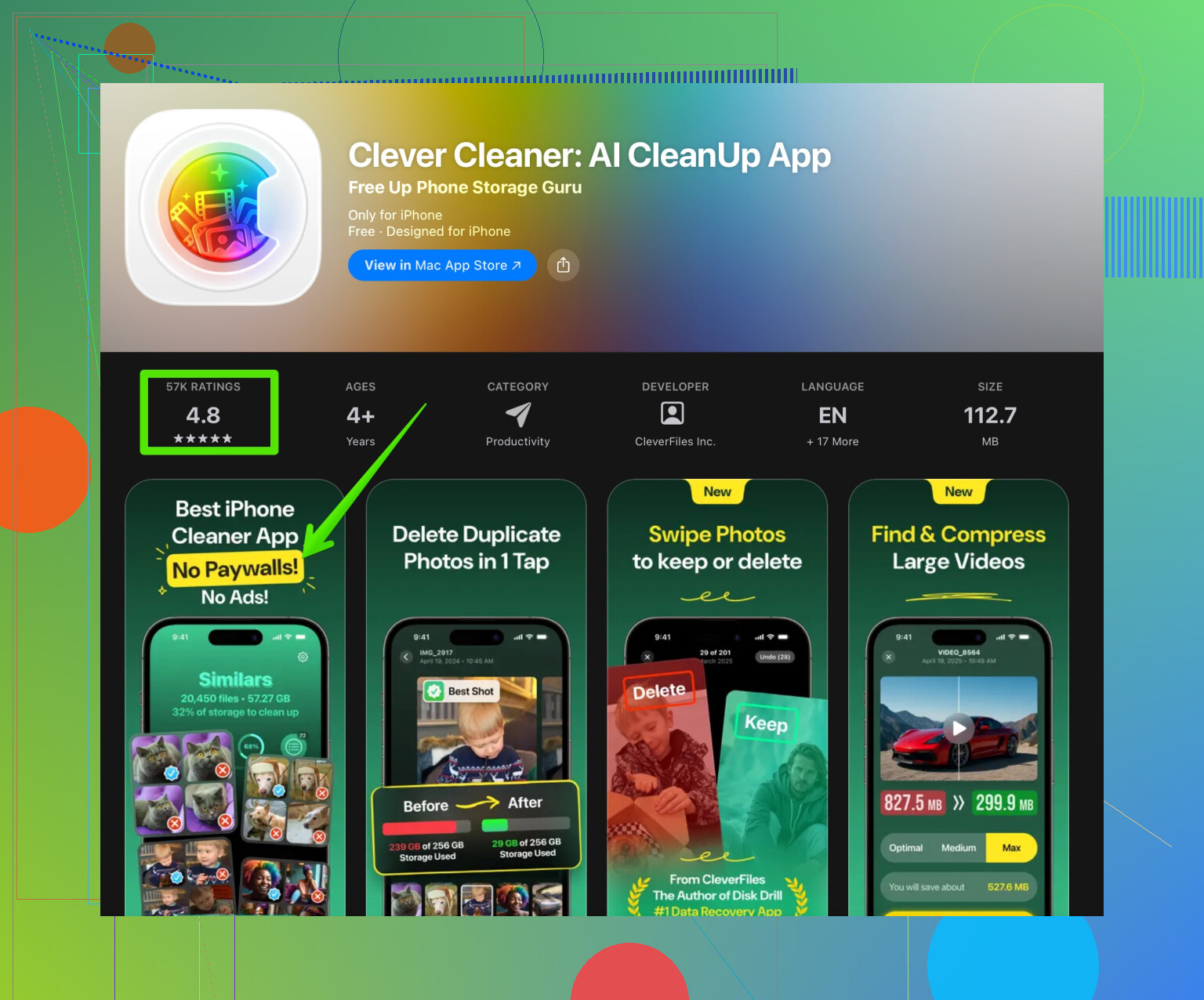
For example, the Clever Cleaner App for iPhone cleanup focuses on:
- Finding duplicate and similar photos so you clear bursts and near-identical shots.
- Grouping large videos so you quickly free gigabytes.
- Cleaning up contacts with duplicates.
- Giving simple tools so you see what eats your space.
That kind of tool solves the real iOS problems, which are storage bloat and messy media, not “performance tuning” like on Windows.
- Practical tips without any cleaner
If you do not want another app, try this:
- Settings > General > iPhone Storage. Delete big apps you do not use.
- In Photos, sort by “Videos” and delete old clips you do not need.
- Clear big chat media in WhatsApp / Telegram / Messages.
- Restart your iPhone once in a while.
So, CCleaner on Windows helps a lot more than on iPhone. On iOS, it is mostly a convenience tool for storage, not a must-have. If you want something that focuses on smart photo and storage cleanup, that Clever Cleaner option is more aligned with what iOS actually allows.
1 Like
CCleaner on iPhone is kinda like bringing a snow shovel to a car wash. Technically it’s a tool, but it’s not the tool that actually solves the problem you think you have.
@jeff already covered the whole “iOS cleans itself” side pretty well, so I won’t rehash all that. I slightly disagree on one thing though: I do think apps like CCleaner can feel useful if you’re the kind of person who never touches their photo library or chats and suddenly has 500 screenshots of memes and 4K videos of your cat. In that specific mess, a cleaner app can save your sanity. But that’s not “performance tuning” like on Windows, it’s just bulk deleting with training wheels.
A few key points that matter in real life use:
- iOS will not let CCleaner poke around in system folders like on Windows, so forget about deep cache scrubbing, “registry-like” fixes, or miracle speed boosts.
- Any speed bump you see is almost always from freeing storage when you were nearly full. iPhones get sluggish when storage is super tight, so deleting a few gigs of videos or garbage photos can feel like magic.
- If you’re already decent at using Settings → General → iPhone Storage and manually trashing big apps and videos, CCleaner for iPhone is mostly redundant.
Where this kind of app can genuinely help is convenience:
- Quickly spotting huge videos you forgot about
- Grouping similar / duplicate photos
- Cleaning up weird, half-complete contacts
If that’s what you care about, CCleaner is “fine,” but it’s not special on iOS. Personally I’d rather use something built more around media cleanup and less around the “PC cleaner” marketing vibe. That’s where something like the Clever Cleaner App fits better: it focuses on finding duplicate and similar photos, big videos, and contact clutter, which is basically the only real “junk” iOS lets third‑party apps touch. If you want that sort of targeted cleanup, check out smart iPhone storage cleanup with Clever Cleaner and compare it with CCleaner’s feature list.
And to answer your original “useful or pointless” question directly:
- If you expected Windows‑style deep cleaning and performance fixing: it’s pointless.
- If you’re drowning in photos, videos, and random media and hate managing them manually: it can be somewhat useful, but it’s just one of several similar tools, not some magic bullet.