I’m thinking about installing the Ai Cleaner app on my iPhone to boost performance and clear junk files, but I’m worried it might be unsafe, useless, or even harmful. I’ve seen mixed reviews online and don’t want to risk my data, privacy, or device security. Can anyone share real experiences or expert advice on whether this app is trustworthy and recommended for iOS users?
AI Cleaner: Clean UP Storage App – my experience
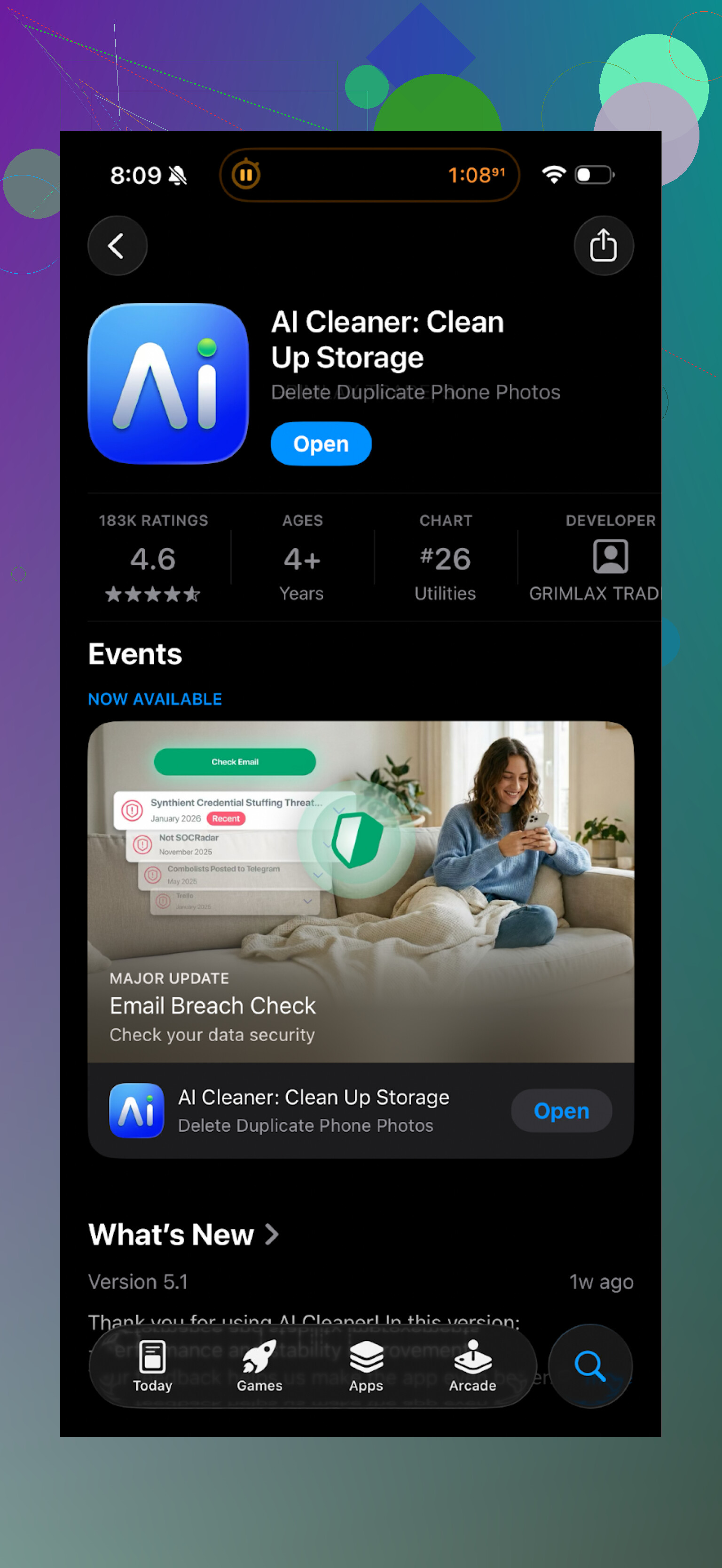
Tried this on my iPhone because my storage was at 99 percent and iOS kept yelling at me. I figured an “AI” cleaner might help sort the mess faster than doing it by hand.
Short version of what happened after I installed AI Cleaner: it looked useful on the surface, then turned into a paywall maze.
Here is what stood out for me:
- The first scan looked impressive. It listed junk, big files, screenshots, and “smart” duplicate groups.
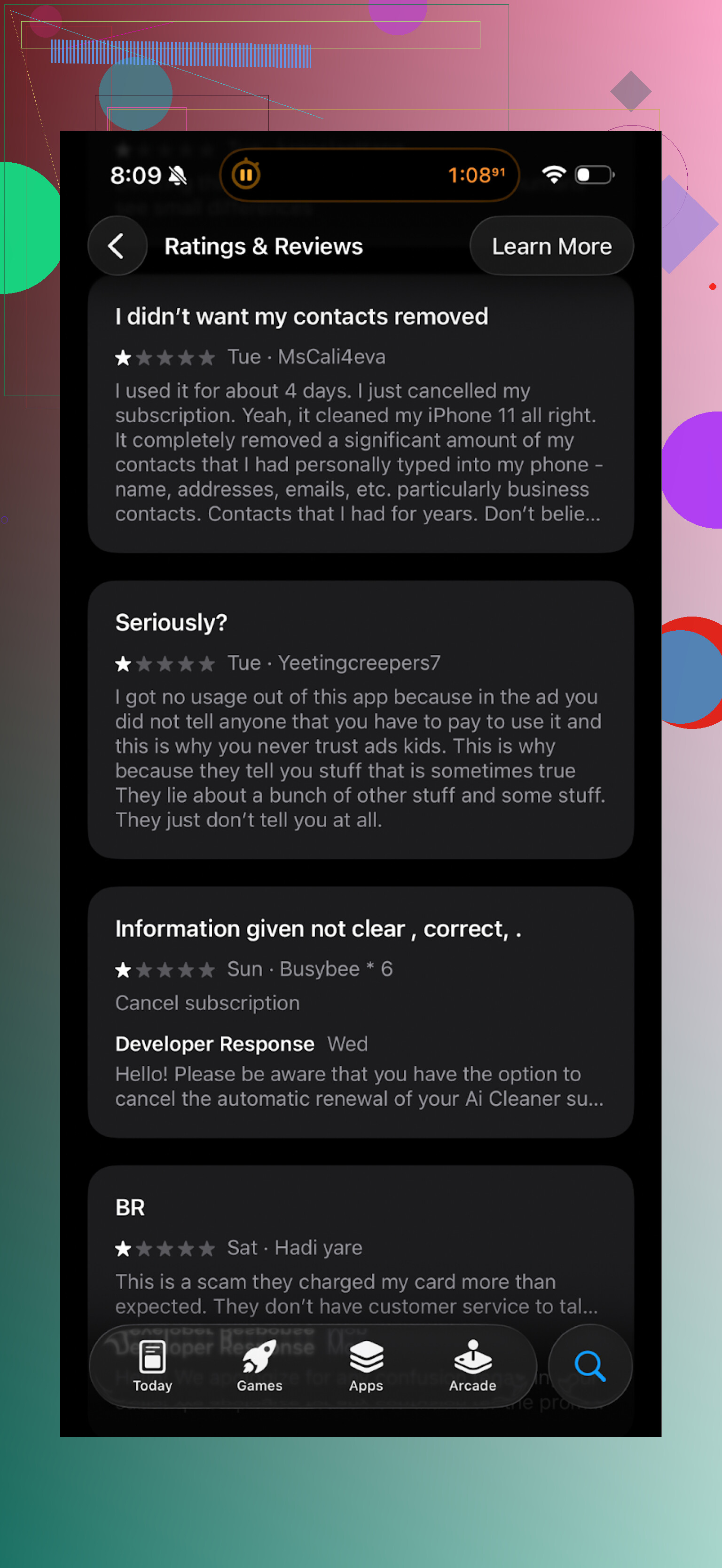
- The moment I tapped on most actions, it threw a subscription screen in my face.
- Deleting stuff felt like walking through ads and upgrade prompts instead of cleaning storage.
- The so-called AI duplicates were unreliable. It sometimes grouped photos that were similar but not duplicates at all, like two different shots from the same event. Easy to mess up and delete the wrong thing if you rush.
It felt like the app was more focused on getting me to subscribe than helping me free up space.
Real user opinions look pretty similar to what I ran into:
What I switched to instead: Clever Cleaner
After getting annoyed with AI Cleaner, I went looking for something less annoying and ended up with this:
Clever Cleaner on the App Store
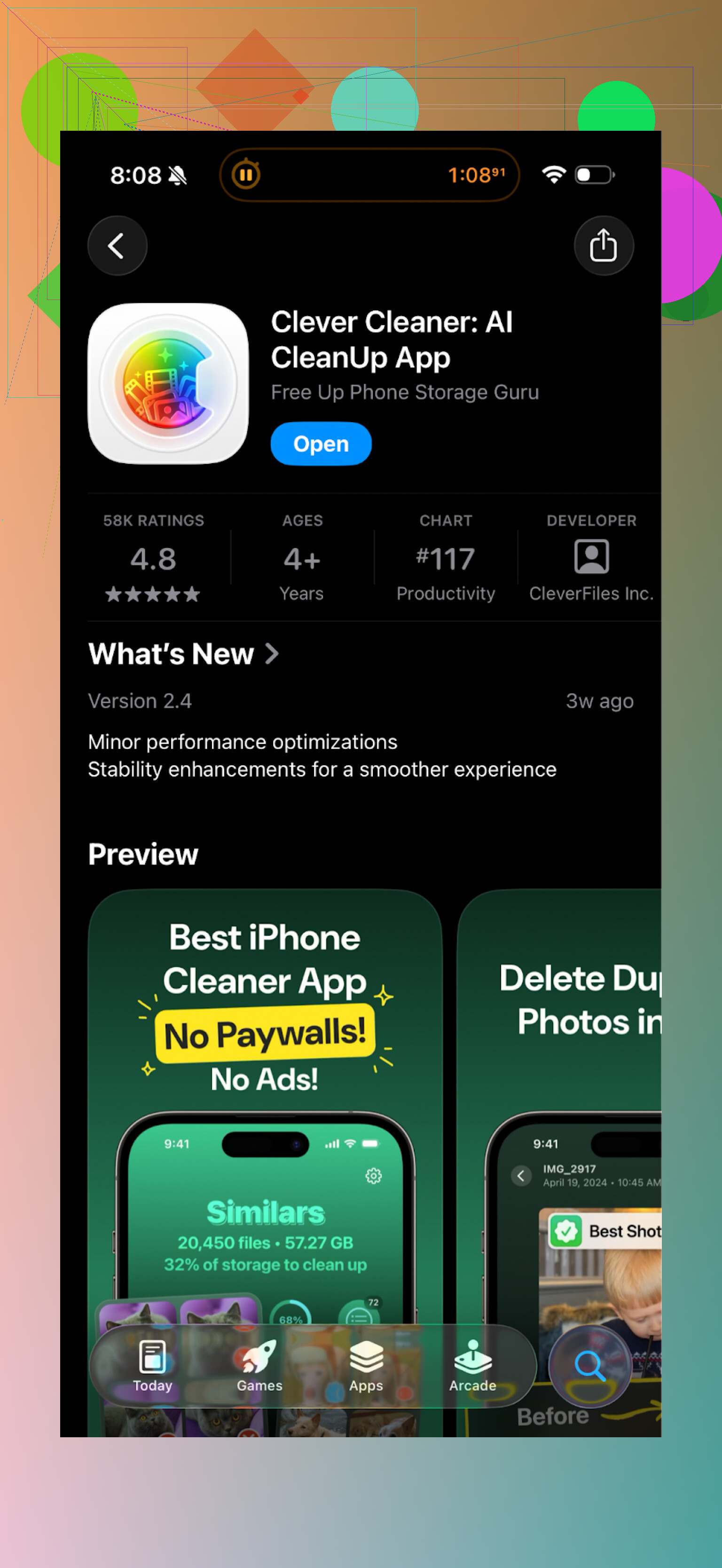
First thing I noticed: I did not get bombarded by paywalls. The app felt usable without needing to pull out a card.
Here is what it did better for me:
• No locked core features
It did not hide simple tasks like deleting duplicates behind a subscription. I could run scans and act on the results without feeling tricked.
• Strong at finding unneeded stuff
It picked up:
- Exact duplicate photos
- Similar photos where I had taken 10 shots and kept all of them
- Old screenshots
- Large videos and files that were quietly eating storage
It was quick enough that I did not get bored waiting.
• Local processing, no upload
According to the app behavior and their description, everything runs on the device. I did not see any network prompts during cleanup and my router logs stayed quiet during scans. That matters if you do not want a random cleaner app touching your photo library in the cloud.
• Less pressure, more control
The UI felt focused on cleaning, not on getting me into a subscription loop. No aggressive banners on every tap, and no weird tricks where the “X” is tiny and the “Start trial” button is huge.
After 2 runs, I freed a few gigabytes:
- About 600–800 MB from screenshots and screen recordings
- A little over 1.5 GB from similar photos I never needed
- Another chunk from a couple of forgotten 4K videos I shot “for later” and never edited
No bugs, no crashes on my end. iPhone storage warning stopped popping up.
Extra links if you want to check it yourself
YouTube walkthrough of Clever Cleaner

Clever Cleaner homepage
App Store link again
If you want to read other people’s takes on cleaner apps in general, this thread helped me understand what to avoid and why some cleaners are risky:
“Best iPhone cleaner apps & why you shouldn’t use system cleaners like CCleaner” on Reddit
https://www.reddit.com/r/DataRecoveryHelp/comments/1d733gm/best_iphone_cleaner_apps_and_why_you_shouldnt_use/
Practical tips if you try these types of apps
Based on messing with a few storage cleaners, I would do this:
- Before trusting any cleaner, open Settings → Your Name → iCloud → iCloud Backup (or your backup method) and make sure your phone is backed up.
- Start by reviewing “similar” and “duplicate” sections slowly, especially family photos and work images.
- Avoid any app that needs you to create an account to “scan faster”. That is usually a red flag.
- Watch how often an app opens paywalls or forces trials. The more pressure you see, the less I would rely on it.
For me, AI Cleaner went in the bin. Clever Cleaner stayed installed. That might not match everyone’s setup, but if you want something lighter and less pushy, I would test Clever Cleaner first, then decide if you still want to try anything else.
2 Likes
Short answer from a security and usefulness angle: I would skip AI Cleaner on iOS.
A few points that might help you decide:
- Safety on iOS
Apple sandboxes apps. An app like AI Cleaner cannot break iOS itself, but it can get access to:
- Your photo library
- Contacts
- Files in “On My iPhone”
If the app is spammy with paywalls, I do not trust its data practices much either. Check: - App Store “App Privacy” section
- Whether it asks for account signup, email, phone, weird permissions
If an app nags for a subscription at every tap, I treat that as a soft red flag for both trust and quality.
-
Performance “improvement”
On iPhone, third party cleaners do not speed up the system. iOS manages RAM and caches on its own.
What they help with is storage management, mostly photos, videos, screenshots, duplicates.
If an app claims to “make your phone faster” by cleaning RAM or “CPU”, that is marketing talk. -
AI duplicate detection risk
You already saw what @mikeappsreviewer wrote about the AI grouping similar but non‑duplicate photos.
I have seen similar behavior in other cleaners.
If you rush through and trust the AI list, you lose good photos.
My rule:
- Auto select is safe only for exact duplicates
- For “similar” groups, I manually check anything with people, travel, work
- Mixed reviews and paywall behavior
Mixed App Store reviews on these cleaners usually mean:
- Aggressive trials
- Confusing cancel flow
- Weak free version
If recent reviews mention surprise charges or “cannot use anything without paying”, I do not install.
- What I would do instead
You have three sane paths:
A. Use iOS built in tools
No third party risk, slower but safe.
- Settings → General → iPhone Storage, review big apps and “Review large attachments”
- Photos → Albums → Duplicates, use Apple’s own merge tool
- Sort Photos by “All Photos”, scroll up, clean old screenshots and screen recordings
B. Use a focused cleaner with clear behavior
Clever Cleaner App is one of the fewer tools that keep core features usable without shoving a paywall in your face.
If you try it:
- Back up first
- Start with duplicates and large files
- Turn off any “auto delete” until you trust its results
I disagree a bit with @mikeappsreviewer on one thing. I would still avoid bulk deleting “similar” photos in any cleaner, including Clever Cleaner. I go group by group for anything important.
C. Manual + occasional helper app
You do most work in iOS settings and Photos.
Use a cleaner app only to surface:
- Large videos
- Exact duplicate photos
Then delete through the Photos app after review.
- When to fully avoid a cleaner app
I uninstall instantly if I see:
- Forced account creation for a local cleaner
- Fake “virus found” or “system damaged” warnings
- Subscription screen before I can see any scan results
- No clear “Contact support” or identifiable company info
If your goal is storage, an app like Clever Cleaner App, used carefully, is fine.
If your goal is “performance”, no cleaner, including AI Cleaner, will do much. iOS handles that on its own.
Short version: I’d skip AI Cleaner on iOS unless you really like paywalls and risk deleting stuff you care about.
Couple of specific points that build on what @mikeappsreviewer and @shizuka already saw:
-
“Performance boost” is basically marketing
iOS does its own RAM and cache management. Third‑party cleaners cannot tune the kernel, touch system partitions, or magically make the CPU run faster. So if your main goal is “make my iPhone faster,” AI Cleaner (or any cleaner) is not going to deliver anything real. At best, it helps you reclaim storage, which can indirectly stop lag from low‑space situations, but that’s it. -
Safety is less about malware and more about behavior
Apple’s sandboxing means AI Cleaner is unlikely to literally “harm” iOS, but:
- It can get full access to your photos and local files if you grant permissions.
- The super aggressive paywall behavior folks described is a soft red flag. Apps that are desperate for subscription conversions are usually not the ones spending most of their time on careful QA or privacy.
Mixed reviews + paywall-on-every-tap vibe usually means: confusing trial rules, surprise charges, and very limited free use.
- “AI” cleanup is where you can lose things you did not mean to
The part I actually dislike most is the “smart” grouping. AI-driven “similar photo” detection is inherently fuzzy. It will absolutely group:
- Two different poses from the same moment
- Slightly different angles of important events
If the UI nudges you into mass-selecting “clean all similar” to feel efficient, that is a recipe for regret later. I think @mikeappsreviewer was almost too forgiving there. I would never trust an app like that for bulk deletion of anything that has people or work related content in it.
- Why I personally would not recommend AI Cleaner
- The core value on iOS should be: show large files, obvious junk, and exact duplicates, then get out of the way.
- AI Cleaner seems to do the opposite: show a flashy scan, then aggressively steer you into subscriptions and semi‑reliable “smart” deletions.
For a tool that touches all your photos and videos, that combo is not worth the risk, especially when iOS itself already offers decent basic cleanup tools.
- What I’d do instead
Without repeating the full how‑to steps others already posted:
- Use Apple’s stuff first for the boring but safe wins: iPhone Storage, Photos duplicates, large attachments. It is slower, but you keep control and privacy.
- If you really want a third‑party helper to speed up the “find junk” part, something like the Clever Cleaner App is a lot closer to what an iOS cleaner should be: local processing, fewer dark‑pattern paywalls, and more focus on surfacing exact duplicates and large items than on pretending to “speed up your phone.” Even then, I’d still manually check similar-photo suggestions instead of trusting auto‑select.
So is AI Cleaner “unsafe” in the sense of bricking your iPhone? Probably not.
Is it worth installing given the mixed reviews, subscription pressure, and risky AI grouping? From a practical and sanity standpoint, I’d say no. Use built‑in tools plus a more transparent cleanup app like Clever Cleaner App if you really need an extra push.
Short take: I’d pass on AI Cleaner for iOS and here is why, without rehashing what others already walked through.
1. On AI Cleaner itself
I generally put these “AI booster” cleaners into 3 buckets:
- Harmless but pointless
- Annoying subscription funnels
- Risky with auto delete
From what you described and what @shizuka, @viajeroceleste and @mikeappsreviewer saw, AI Cleaner lands somewhere between the second and third:
- System performance: it cannot touch the parts of iOS that actually affect speed. So the “faster iPhone” angle is marketing speak, not a technical feature.
- Storage cleanup: the AI “similar” detection is exactly where you can accidentally wipe photos you care about. The more it pushes one‑tap cleanup, the less I trust it.
- UX & business model: if you feel like you are navigating a subscription puzzle instead of a tool, that is a design choice, not an accident.
I will slightly disagree with the idea that “it is fine as long as you are careful.” For something that wants full photo access, I want boring, predictable behavior, not clever tricks or pressure to rush through decisions.
2. Where Clever Cleaner App fits in
People already covered how it works, so I will keep it to the tradeoffs instead of a full walkthrough.
Pros of Clever Cleaner App
-
Focused feature set
It mostly sticks to: duplicates, similar photos, screenshots, large files. That is exactly what an iOS cleaner should surface, nothing magical. -
Less aggressive monetization
Compared with AI Cleaner’s paywall maze, it is more “use it first, decide later.” That matters for trust and also reduces the chance you blindly accept some bulk action just to get rid of banners. -
Local‑first behavior
For a tool that sees your whole camera roll, the on‑device processing focus is a real plus. Even if every cleaner claims this, the ones that do not constantly ping the network are easier to live with. -
Decent for periodic maintenance
If you install it, run a cleanup every month or two, then forget it, it does its job. You do not need it living in the background.
Cons of Clever Cleaner App
-
Still not a magic performance tool
Same rule as AI Cleaner: it will not fix laggy animations, random app freezes, or iOS bugs. It is about storage, not speed. -
“Similar photos” is inherently risky
Even with a saner design, the logic that decides two shots are “redundant” will sometimes be wrong. You still need that extra second of human judgment before deleting vacation, event or family shots. -
Extra dependency
Any cleaner is one more app with access to your media. If you are extremely strict about privacy, Apple’s built‑in tools plus manual cleanup are still the safest path. -
Can encourage over‑cleaning
Once you see “You can free X GB,” it is tempting to click through quickly. That is not a Clever Cleaner App problem specifically, more a human nature problem.
3. How I would prioritize options
Since others already listed detailed steps, here is a different angle: priorities rather than instructions.
-
First line: Apple’s own tools
Use them to:- Keep storage from hitting 0.
- Handle obvious duplicates.
- Spot huge message attachments and apps you never use.
This alone solves most “my phone feels full and sluggish” reports.
-
Second line: one focused helper
If you still feel buried in screenshots, burst photos, and random videos, then a dedicated cleaner is OK.
Between the two, Clever Cleaner App is simply closer to what you actually need:- Less noise.
- More transparency.
- Fewer traps that make you rush.
-
What I would avoid altogether
- Anything that talks about “CPU optimization,” “RAM cleaning,” or “virus removal” on iOS.
- Apps that demand signup for a local cleaning task.
- One‑tap “clean all similar photos” as a default suggestion.
4. How your goal changes the answer
-
If your main goal = speed
Neither AI Cleaner nor Clever Cleaner App is the fix. Look at free space, background app refresh, and whether some specific app is misbehaving. -
If your main goal = space
AI Cleaner’s UX and AI grouping risk do not justify installing it. A mix of built‑in tools plus occasional use of Clever Cleaner App is a more balanced, lower‑stress approach.
So, not “unsafe” in the sense of bricking your phone, but for your use case and risk tolerance, AI Cleaner is simply not worth the hassle. If you really want a cleaner, go with something like Clever Cleaner App, treat “similar” results with suspicion, and keep iOS’s own tools as your baseline instead of relying on marketing claims.